Prices move all day, every day. If you hold crypto in your Zypto App wallet, what you really want to know is simpler: am I up, or am I down?
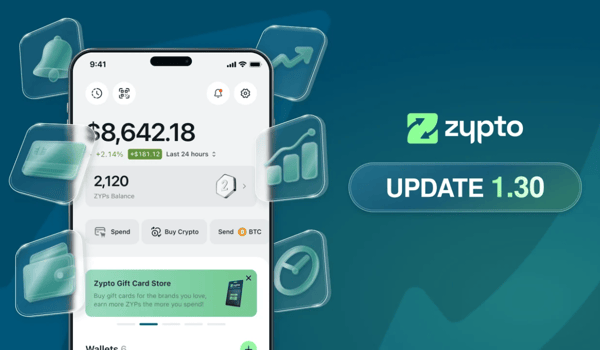
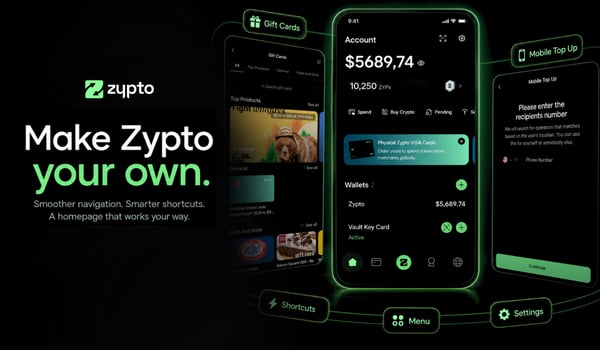
Since v1.30, your crypto profit and loss sits right under your balance, on Home, on every wallet and on every token. One glance, and you know where you stand.
What your crypto profit and loss shows you
Profit and loss, or P&L, is how much the value of your crypto has gone up or down. A price chart tells you what the market did. Your P&L tells you what that meant for you.
In Zypto App, it shows as an amount and a percentage, right under your balance, so you can see how you’re doing without working anything out yourself.
See it on Home, on each wallet and on each token
Your P&L follows you through the app:
- On Home, it sits under your total balance, so you see the big picture first.
- On each wallet, it sits under that wallet’s balance. Keep one wallet for holding long term and another for trading? Now you can see how each one is doing on its own.
- On each token, it sits under the token’s balance, so you can see which coins are pulling their weight.
Pick the period that suits you
Some days you want a quick check over your morning coffee. Other times you want to look back over a whole month. In P&L settings, choose the period your P&L covers:
- 24H, for how today is going.
- 7D, for the week so far.
- 30D, for the bigger picture.
- A custom date range, for any stretch you want to look at.
Price change or My P&L
On a token screen, you can switch between two views. Price change shows how the token’s market price has moved. My P&L shows how your own holding has done.
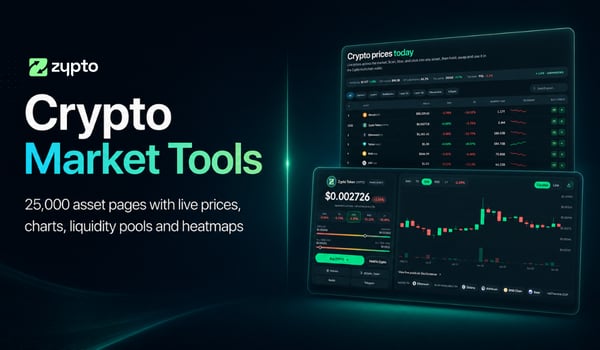
They don’t always tell the same story, which is exactly why it’s handy to have both one tap apart. For a wider look at what the market is doing, our crypto prices page has live prices and charts for more than 600 coins and tokens.
How Zypto App works out your P&L
Your P&L is tracked from a set date, and the “How P&L works” sheet in the app shows you which date that is.
Anything you already held before that date starts from the market price on that day. So if you bought ETH a while back, its P&L counts from that day’s price, rather than the price you first paid.
How to check your crypto profit and loss
- Update to v1.30 from the App Store or Google Play.
- Open Zypto App. Your P&L shows under your balance on Home.
- Open P&L settings and choose 24H, 7D, 30D or a custom date range.
- Tap into a wallet or a token to see its own P&L.
- On a token screen, switch between “Price change” and “My P&L”.
New to it? Tap the “P&L & Price Alerts” banner on Home for a quick explainer.
Pair it with price alerts
P&L shows you where you stand. Price alerts tell you when something changes. Set an alert on a coin or token you hold, and Zypto App lets you know when it hits your target price or moves by the percentage you choose. Here’s how to set crypto price alerts. See everything else that arrived in Zypto App v1.30.
Your crypto profit and loss is now one glance away, whenever you want to know where you stand.
Free Your Money. With Zypto.
Frequently Asked Questions
What does P&L mean in Zypto App?
P&L stands for profit and loss. It shows how much the value of your crypto has gone up or down over the period you choose, as an amount and a percentage.
Where can I see my crypto profit and loss?
Under your balance on Home, on each wallet and on each token in Zypto App v1.30 and later.
Can I change the period my P&L covers?
Yes. In P&L settings, choose 24H, 7D, 30D or a custom date range.
What's the difference between Price change and My P&L?
On a token screen, Price change shows how the token's market price has moved, and My P&L shows how your own holding has done. Switch between them with a tap.
Why doesn't my P&L start from the price I paid?
Zypto App tracks P&L from a set date, shown in the "How P&L works" sheet. Anything you held before that date starts from the market price on that day.
Prices, fees, features and availability mentioned in this article were correct at the time of publishing and may have changed since.
Related topics