Zypto App v1.30 is here, and it’s all about knowing where your money stands. You can now see your profit and loss on Home, on every wallet and on every token, set price alerts so the market comes to you, and search your whole transaction history in one place. On top of that, you choose which notifications reach you, and your cards now sit right on Home. Here’s everything new in your Zypto App.
See your profit and loss at a glance
Your profit and loss (P&L) now shows right under your balance, on Home, on each wallet and on each token. Pick the period that matters to you in P&L settings: the last 24 hours, 7 days, 30 days, or a custom date range.
On a token screen, switch between “Price change” and “My P&L” to see how the market moved, or how your own holding did. Curious how it’s worked out? The “How P&L works” sheet shows the date the app started tracking your P&L. Anything you held before then starts from the market price on that day.
Look out for the new “P&L & Price Alerts” banner on Home, which walks you through both new features.
Set price alerts for any token
Waiting for a token to hit a price? Set an alert and get on with your day. Open any token, tap Price Alert, and choose how you want to be told:
- Alert type: a target price, or a percentage change.
- Direction: when the price rises, falls, or either.
- Window for a % change: 24 hours, 48 hours, 1 week or 1 month.
- Notify me: once, or every time.
“My price alerts” keeps your Active and Completed alerts in one list. Edit or delete an alert at any time, or set a completed one again with a tap. Your alerts are saved on your device and work across all your wallets.
Price alert notifications have their own icons and their own group in the notification center, so they’re easy to spot. If push notifications are switched off, the app will ask you to turn them on, so you don’t miss the moment.
A new Transaction History
Tap through from Home to the new Transaction History screen, which replaces the transaction list that used to sit on Home. Search for anything, or filter by type, category, currency, network, direction, status, recipient, amount and date.
Need your records for your accounts or your taxes? Export your history to PDF or CSV. Tap any row to open the full transaction details.
Notifications, your way
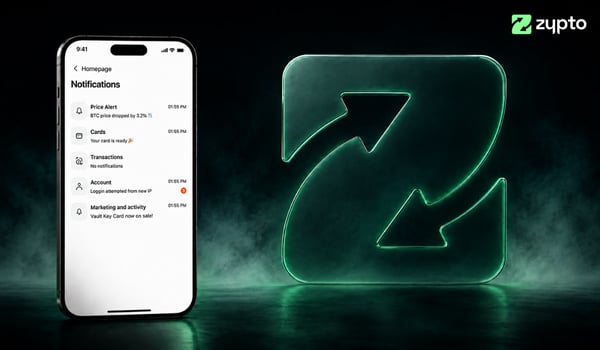
The notification center now sorts everything into groups: Transactions, Cards, Account, Price Alert, and Marketing and activity.
A new Notification Settings screen in Settings gives each group its own switch. Turn a group off and you won’t get its banners or push notifications, but everything still lands in your notification center, so nothing is lost.
On Android, the badge on the app icon now clears once you’ve read all your notifications. And if a card application needs another look, the notification tells you exactly what to fix, such as an expired document, an unreadable photo or a missing proof of address.
Your cards, right on Home
Home has a new Cards section that shows your crypto cards, with a button to add another and “See all” for the full list. No card yet? Tap the “Tap to open a card” placeholder to get started.
You can now rename a card with the pencil next to its name, and going back from a card you opened on Home takes you straight back to Home. There’s a new Contacts shortcut on Home too.
The wallet screen has a fresh layout: the addresses button now sits under the actions, and the Filters button sits next to the token search.
Tell us how it went
When you finish a send, swap, deposit, withdrawal, payment abroad, gift card, mobile top-up, bill payment or card order, you’ll see a short feedback card. Rate it from 1 to 5 and, if something wasn’t right, tell us what happened. Close the card and it stays hidden for 14 days, or tap “Don’t show again” to hide it for good.
More fixes and improvements
- Swapping your maximum SOL balance no longer fails on chain. The app now stops a swap your wallet can’t cover and tells you that you need more SOL.
- Auto slippage now saves in swap settings, and on Android the custom slippage field keeps its value and displays properly.
- Paid cards no longer show as unpaid while they’re being issued.
- Card creation selects the product for you when only one product is within its limit, and the phone field shows the calling code you selected.
- The keyboard no longer opens over the Terms screen during the card application.
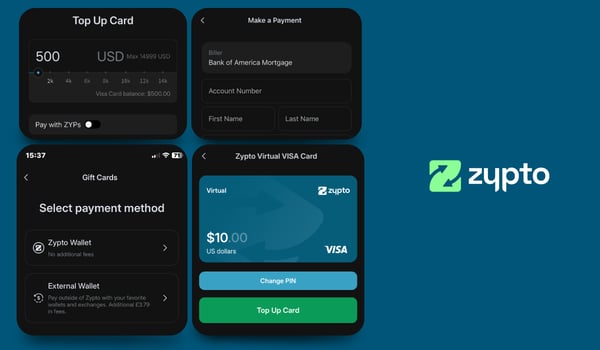
- Editing a failed bill payment shows the biller’s fields and uses the address picker.
- Completed bill payments, Vault Key Card orders and mobile top-ups no longer show as “Pending” after you restart the app.
- The paid total for a mobile top-up now shows correctly.
- Claiming a gift card from a notification now asks for your passcode.
- Making a wallet read-only now disconnects its HIVE account.
- Account deletion keeps the Terms screen locked until the wipe finishes, then opens Home.
- Bottom sheets stay above the keyboard, and the field you’re typing in scrolls into view.
- Smoother navigation on iOS and Android, with no more returning to a closed screen or flashes of the previous one.
Update to v1.30 from the App Store or Google Play to get it all.
Free Your Money. With Zypto.
Prices, fees, features and availability mentioned in this article were correct at the time of publishing and may have changed since.
Related topics