Self-custody hands you complete control of your money, and with it one responsibility: keeping the keys safe. The good news is that “safe” comes down to a handful of habits, not a security degree. Get these right and you’ve closed off almost every way people actually lose crypto.
It All Comes Down to Your Seed Phrase
Everything in a self-custodial wallet is protected by one thing: your seed phrase, the 12 or 24 words that are your keys in written form. Whoever has those words controls the crypto; whoever loses them with no backup loses access for good, because no company holds a copy to reset. So keeping your crypto safe really means keeping that phrase safe. Two rules cover most of it: back it up, and never share it.
Back It Up, the Right Way
Write your seed phrase down on paper, or better, stamp it into a metal backup that survives fire and water. Keep it offline. The mistakes to avoid are the ones that feel convenient:
| Safe | Risky |
|---|---|
| Written on paper or metal | A photo or screenshot |
| Stored offline | Saved in notes, email or cloud |
| A second copy in a separate place | Typed into any website |
| Kept only by you | Shared in a chat |
Anything digital can be hacked, synced or seen. Your seed phrase should live where the internet can’t reach it, and a second copy in a different location protects you from fire, flood or loss.
Never Share It, and Know the One Scam
No genuine wallet, support team, giveaway or “validation” page will ever ask for your seed phrase. Not Zypto, not anyone. So the rule doubles as a scam detector: the moment someone asks you to enter or send your seed words to “verify,” “sync” or “rescue” your wallet, you know it’s a scam and can walk away. For more, see our guide on why your seed phrase is your master key.
The Other Trap: What You Connect and Approve
Guarding your seed phrase closes one door. Here’s the other: you can lose crypto without ever giving your phrase away, by approving the wrong thing. To use a web3 app you connect your wallet to it and approve transactions with a tap, and that approval is powerful. Scammers know it. A fake “support” agent, or a stranger in a group or DM offering to “help,” will tell you to connect your wallet to a site or approve a request so they can “investigate,” “reset,” “sync” or “unlock” it. Do it, and the transaction you just approved can hand your funds straight to them.
Two rules keep you clear of it:
- No one legitimate needs to touch your wallet to help you. Real support never asks you to connect, approve or “validate” to fix a problem. Anyone who does is running a scam, however friendly or urgent they seem.
- Only connect to apps you went looking for yourself, and read what you’re approving before you sign. If a request appears out of nowhere, or you don’t understand what it’s asking, don’t approve it. When in doubt, close it.
One thing that is safe to share: your public address. It’s the account-number side of your wallet, made to be handed out, so anyone can send to it and genuine support may ask for it to look into a transaction. That never puts you at risk. The line is simple: your address is public, but your seed phrase, and your approval to connect or sign, are yours alone.
Zypto App is built to keep you on the right side of that line. Because it’s self-custodial, nothing moves without your approval, and you can see every service you’re connected to at a glance and disconnect any of them with one tap. Make it a habit: when you’ve finished what you came to do, disconnect, and treat any unexpected “approve to continue” as a red flag.
Recovery: Why the Backup Is Everything
Losing your phone isn’t losing your crypto. Install a fresh wallet, enter your seed phrase, and your balance is right back, because the assets were always on the blockchain, not in the app. That’s the whole reason the backup matters: the phrase, not any device, is your crypto. Restore it into a second wallet app once, so you know your backup works before you ever need it.
For Bigger Holdings: Go Cold
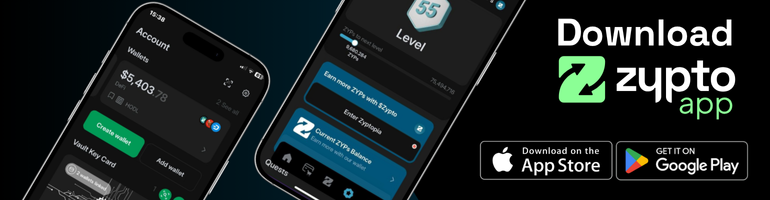
The habits above keep everyday funds safe. For larger amounts, or anything you want locked down long term, cold storage adds a layer by keeping your keys offline and putting a physical action between a scammer and your money. Zypto’s Vault Key Card is an optional cold-storage layer built for exactly this: your keys stay offline on the card, and to approve a transaction you physically tap the card to your phone. Nothing moves without that tap, so even an approval you were talked into can’t go through on its own. There are no batteries, cables or firmware to manage, and it works right inside Zypto App. It isn’t required to be safe; it’s there when you want to go further.
A Few Everyday Habits
- Check the address before you send, and send a small test amount to a new one first.
- Make sure a token is real before you buy or swap it.
- Ignore unsolicited DMs, “support” that contacts you first, and offers that feel urgent.
- Keep your phone locked and updated; your wallet is only as private as the device it sits on.
What This Means For You
Keeping crypto safe isn’t about being an expert; it’s about a few good habits and one well-protected seed phrase. Zypto App is self-custodial and built to make the safe path the easy one: it guides your backup, never asks for your seed phrase again, and offers the Vault Key Card when you want cold storage. Look after the keys, and the rest looks after itself. Your money, only yours.
Keep Going
See why self-custody matters for the case behind all this, what your keys actually are, and how to know a token is real. To go deeper, read basic crypto security.
Check what you learned
Quick check
3 questions. Get 2 of 3 right to pass this lesson. Pass every lesson to earn a shareable certificate. Retry any time; nothing you answer leaves your device.
Lesson passed. Nice work. Your progress is saved on this device.
1Keeping your crypto safe mostly comes down to:
Everything in a self-custodial wallet is protected by the seed phrase. Back it up, never share it.
2Who will legitimately ask for your seed phrase?
No genuine wallet, support team or giveaway ever needs your seed phrase. Being asked is the scam.
3Besides guarding your seed phrase, the other main way people get drained is:
You can lose crypto without ever sharing your phrase, by approving a malicious request. Only connect to apps you sought out yourself.