A ripple wallet download is the fastest way to start using XRP for payments, swaps, and everyday crypto activity. With Zypto App, you can download a Ripple wallet in minutes and immediately manage, store, and use XRP across a fully integrated crypto environment.
Designed for both simplicity and power, Zypto App gives you a secure XRP wallet alongside access to over 24,000 digital assets across 20+ blockchains, all within a single mobile app.
Download Your Ripple Wallet
Getting started is simple. Download Zypto App on Android or iOS, create your wallet, and begin using XRP straight away.
You can also buy XRP directly in the app using 130+ global payment options, making it easy to get started without needing external exchanges.
Unlike many wallets that limit functionality to storage, Zypto App allows you to swap, spend, and move XRP across blockchains without leaving the app.
What Is a Ripple Wallet?
A Ripple wallet is a crypto wallet that allows you to store, send, and receive XRP and other tokens on the XRP Ledger.
Modern wallets go beyond storage. A well-designed Ripple wallet also allows you to interact with other blockchains, swap assets, and use XRP for real-world transactions.
Why Choose Zypto App for XRP?
Zypto App is built as a multichain wallet, not just a single-network XRP wallet.
You can manage XRP alongside thousands of other assets, move value between blockchains, and access decentralized finance without switching apps or relying on external tools.
With native crosschain execution, Zypto App allows assets to move between supported blockchains directly inside the app, giving XRP real flexibility beyond its native network.
Use XRP Beyond Storage
Holding XRP is only part of the picture. Zypto App allows you to actively use your XRP in multiple ways.
You can fund crypto cards, pay bills, top up mobile plans, and access thousands of digital gift cards directly from the app. XRP becomes part of a broader financial toolkit, not just a stored asset.
Zypto App also supports USDC to Cash and Cash to USDC at participating MoneyGram locations, allowing you to move between digital assets and physical cash when needed.
Move XRP Across Blockchains
Zypto App supports crosschain swaps, allowing you to convert XRP into assets on other networks and use them where needed.
Instead of being limited to one blockchain, your XRP can be swapped into assets across Ethereum, Base, Arbitrum, and more, all within the same app.
This makes Zypto App a practical choice for users who want flexibility and access across multiple ecosystems.
How to Set Up a Ripple Wallet After Download
After your Ripple wallet download, getting started in Zypto App takes just a few minutes.
- Download Zypto App
Download the app from the App Store or Google Play. It’s free and supports 25+ languages. - Create or import your wallet
Open Zypto App and choose to create a new wallet, or import an existing one using a recovery phrase. - Secure your wallet
Write down your recovery phrase and keep it offline. Set up your app PIN and activate optional biometric login for added protection. Zypto is non-custodial, so only you control your keys. - Generate your Ripple address
Select ‘Receive’ from the menu and search for XRP. Select it to generate a unique wallet address for sending and receiving XRP and XRPL-based tokens. - Add funds or connect onramps
Transfer XRP from another wallet, use Zypto’s 130+ global payment options, or swap into XRP directly in the app. - Start using Ripple
Manage tokens, connect to dApps, swap across multiple blockchains, and use XRP for real-world utility with crypto cards, bill pay, mobile top-ups, and USDC to Cash and Cash to USDC at participating MoneyGram locations.
Once set up, your Ripple wallet becomes part of a multichain environment, allowing you to move and use assets across supported blockchains.
Security and Control
Zypto App is fully self-custodial, meaning you retain control of your private keys at all times.
With optional biometric protection, PIN security, and advanced account safeguards, your assets remain protected while still accessible when needed.
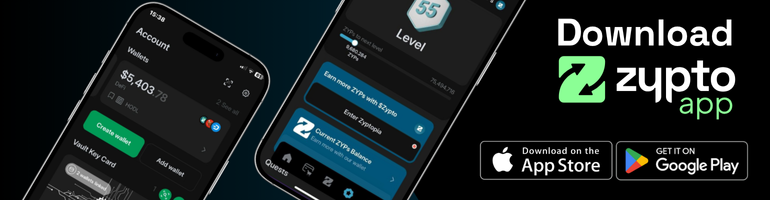
For additional security, Zypto also supports cold storage through the Vault Key Card, allowing transaction authorisation to remain offline while maintaining full usability inside the app.
A Ripple Wallet That Does More
A ripple wallet download should give you more than a place to store XRP.
Zypto App combines multichain wallets, crosschain swaps, Web3 access, and real-world crypto utility in one mobile app, allowing you to manage and use your assets without switching between tools.
Download Zypto App today and experience a Ripple wallet built for how crypto is actually used.
FAQs
How do I download a Ripple wallet?
You can download a Ripple wallet by installing Zypto App on Android or iOS. Once installed, create or import a wallet and start managing XRP in minutes.
Can I buy XRP after downloading a Ripple wallet?
Yes. Zypto App allows you to buy XRP using 130+ global payment options, making it easy to fund your wallet directly in the app.
Can I use XRP across different blockchains?
Yes. With Zypto App, you can swap XRP into assets on other blockchains using crosschain swaps, allowing you to use your funds across multiple networks.
Is Zypto a secure Ripple wallet?
Yes. Zypto App is self-custodial, meaning you control your private keys. It also includes PIN protection, optional biometrics, and cold storage support via the Vault Key Card.
Related topics