Superfortune (GUA), yours to hold and swap
GUA · BNB ChainLooking for a Superfortune wallet or a GUA wallet app that does more than just hold? Zypto App is a non-custodial multichain DeFi wallet where you can hold GUA, swap into 24,000+ assets across 20+ chains, connect to dApps and put your crypto to work in the real world. All from one app, your keys on your device.


What you can do with GUA in Zypto App
Superfortune is available in Zypto App: hold it in self-custody, swap it through the chain's DEXs, and connect to dApps with it.
GUA is not accepted as a payment method yet. To spend its value, swap it in-app into a stablecoin or another accepted asset, then use that for card loads, gift cards, top-ups and bill pay.
What makes Zypto the right place for your Superfortune (GUA)
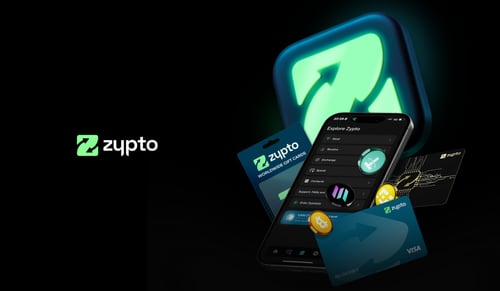
Most Superfortune wallets do one thing: hold GUA. Zypto App is a full DeFi wallet built for actually using it. Hold GUA non-custodially on the BNB Chain network, swap into 24,000+ assets across 20+ chains via in-app DEX integrations, connect to dApps with WalletConnect, and use the value through the Zypto Premium Visa Card and Zypto's bill-pay and gift-card surfaces.
Whether you're new and looking for your first Superfortune wallet app or your first GUA wallet, or an experienced DeFi user who wants one wallet for holding, swapping and real-world spending, Zypto is built for both, without sacrificing self-custody.
New to Superfortune? Start here with the right GUA wallet
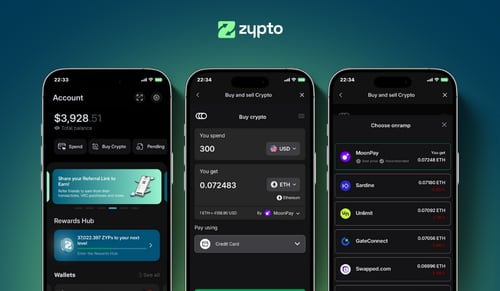
New to Superfortune? You don't need an exchange account to get a wallet. Download Zypto App, generate your recovery phrase, and you have a working GUA wallet in under a minute. Add your first GUA by receiving from another wallet, or by buying in-app where supported.
From zero to using Superfortune
Get the app
Download Zypto App on iOS or Android. Generate your recovery phrase. Your keys stay on your device.
Add GUA
Receive GUA from another wallet, or buy in-app where supported.
Use it everywhere
Top up the Zypto Premium Visa Card, swap into other assets, pay bills, or buy gift cards.
Your Superfortune is secured by you
Zypto App is non-custodial. Your private keys are generated and stored on your device, Zypto never has access to your GUA and every transaction is signed locally. For account access, every user sets a PIN with optional biometric security (fingerprint or face recognition). You can also filter your wallet to show only verified tokens, protecting you from random airdrops or unsafe assets. For offline hardware wallet security, pair with the Vault Key Card, card-based cold-wallet hardware that signs transactions over NFC, keys never touch the internet.
What is Superfortune?
Superfortune (GUA) is the token behind an AI-driven platform that blends Chinese metaphysics, such as Bazi and I Ching, with crypto market data to generate fortune readings and market pattern analysis. The project frames itself as a metaphysics and information-finance application in Web3 and was incubated within the Manta ecosystem. GUA is the platform's utility token. It is used as in-app payment for detailed fortune reports and digital charms, and for features such as converting dormant low-value assets into GUA. The total supply is fixed at 1 billion tokens. The token's generation event took place in late November 2025, so GUA is a very new and speculative asset with a novel, unproven concept. Treat it with caution. You can check the Superfortune price and hold GUA in a self-custody wallet.
Real things to do with your GUA
Zypto App connects your Superfortune to real-world spending. Swap into supported coins in-app, use your Superfortune in the real world.
Vault Key Card cold storage
Card-based cold-wallet hardware. NFC-tap to sign Superfortune transactions, keys never touch the internet.
Vault Key CardUse a Crypto Visa Card
Load the Zypto Premium Visa Card with crypto. Physical and virtual cards, use them wherever Visa is accepted.
Crypto cardsPay bills with Superfortune
Settle utility bills and mobile contracts with billers worldwide, paid with crypto from your Zypto wallet.
Bill payBuy gift cards with GUA
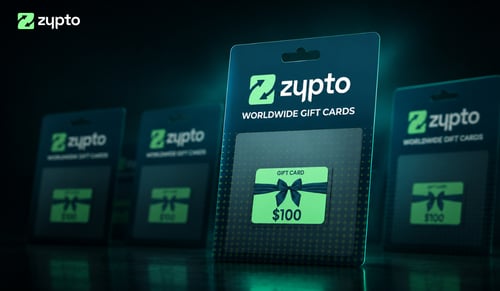
Gift cards from popular brands, paid with crypto. Settle in-app, redeem instantly.
Gift cardsTop up any phone
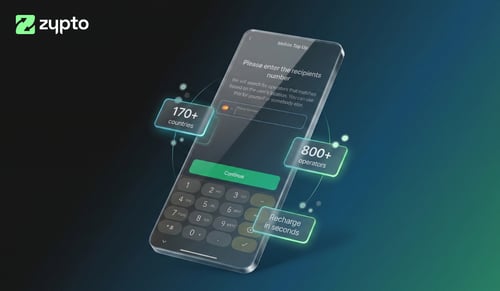
Send mobile credit across many countries in seconds. Pay with crypto, recipient gets local airtime.
Mobile top-upsCross-chain swaps
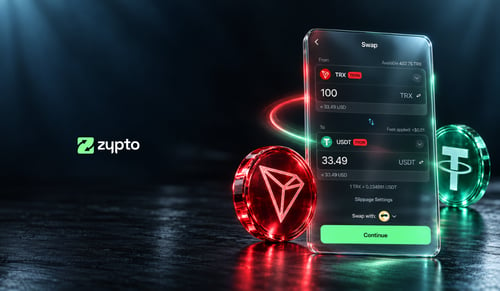
Swap Superfortune into 24,000+ assets across 1,000,000+ cross-chain routes. All in-app, all in two taps.
Multichain walletPay with crypto
Zypto App supports 100+ cryptocurrencies for card loads, mobile top-ups, bill pay and gift cards. Swap any asset into a supported coin in-app, all in a few taps.
Zypto PayOther assets worth holding next to GUA
Cross-chain swaps mean your GUA can become any of these in two taps.



664+ dedicated wallet pages










GUA wallet questions, answered
What's the best Superfortune wallet app?
That depends on what you want to do with your GUA. If you're holding only, any non-custodial wallet works. If you want to hold, swap across 20+ chains, connect to dApps, and use crypto for real-world spending, Zypto App is purpose-built for that while still being fully non-custodial.
Is the Zypto Superfortune wallet non-custodial?
Yes. Your private keys are generated and stored on your device. Zypto never has access to your GUA. Every transaction is signed locally on your device before it reaches the network.
How do I use crypto for real-world spending with Zypto Premium Visa Cards?
When you load the card in Zypto App, your crypto is converted into USD. Conversion happens at load, not at the checkout, so you can lock value in, avoid volatility and pay wherever Visa is accepted, subject to eligibility and applicable limits.
Which chains can I swap Superfortune into?
Swap into assets across 20+ chains including Ethereum, Solana, Polygon, Arbitrum, Optimism, BNB Chain and TRON, across 1,000,000+ cross-chain routes. All in-app, all in two taps.
How do I back up my Superfortune wallet?
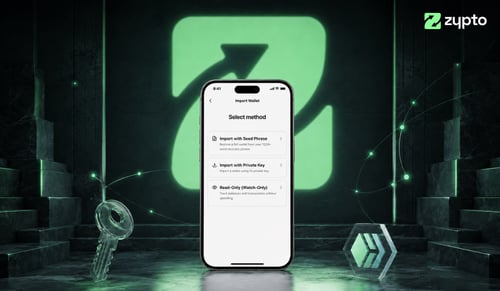
During setup, Zypto App generates a 12-word recovery phrase. Write it down and store it offline somewhere safe. For offline hardware wallet security, pair Zypto App with a Vault Key Card, the card-based cold-wallet hardware that signs transactions over NFC without exposing your keys to the internet.
Is Zypto App available in my country?
The wallet itself is available globally on iOS, Android and web. Some features (in-app buying, the Zypto Premium Visa Card) vary by region. See what's available where you are on our Spend by Country page.
Is Zypto App free?
The app is free to download and use. Standard network fees apply to on-chain transactions. Card and bill-pay services carry transparent transaction fees published in the app.
Crypto guides & insights