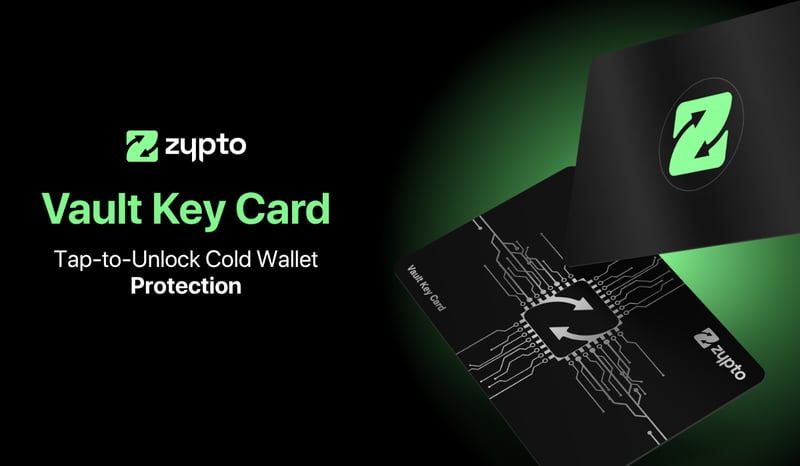
Cold wallet control. Reimagined for your phone.
Tap your card to approve transactions. Nothing moves without you. No cables, no extra devices, and no setup rituals.




Cold storage, without the usual complexity.
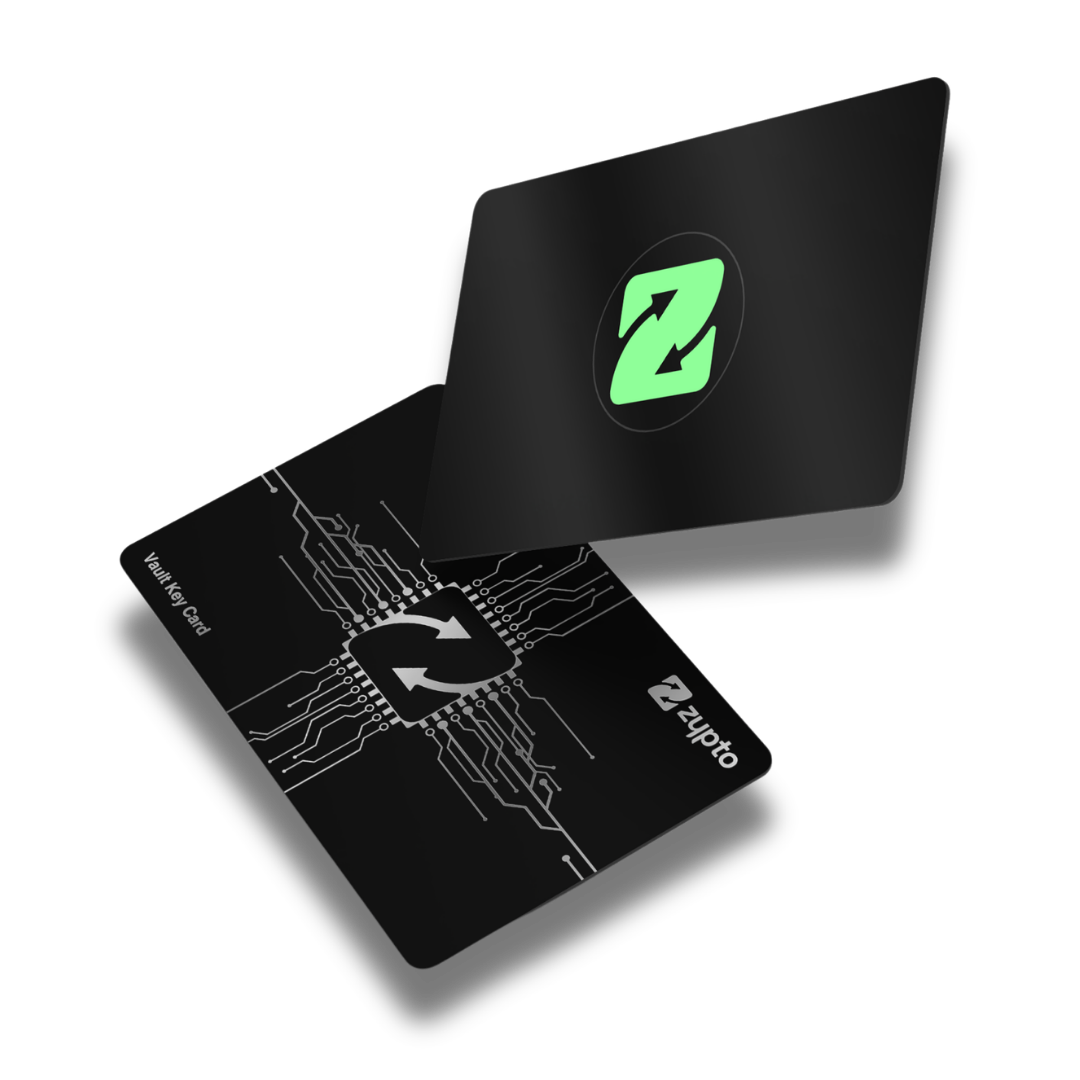
The Vault Key Card gives you hardware wallet protection with none of the hassle that usually comes with one. No setup rituals, and no extra device to charge or carry.
Pair it once, and your wallet needs a physical tap to approve any transaction. Your assets stay on chain. Your approval stays in your hands.

Security that only activates when you do.
Your protected wallets stay completely offline in cold storage. They come online for a split second to authorize a transaction only when you're prompted to tap your card to your phone, then drop straight back offline.
Offline by default
- Your wallet stays disconnected until you act
- No tap, no transaction
Tap to authorize
- A single NFC tap brings the wallet online
- For one action only, nothing more
Built for mobile
- Cold security that fits your phone, at home or travelling
- No extra device to carry, charge, or leave behind
Up to 3 wallets per card
- Secure multiple wallets with one card
- Add more cards anytime
Nothing moves without you.
No transaction can be approved unless your Vault Key Card is present. Split-key technology splits signing authority between the card and your phone, so the card alone is redundant, and the app alone cannot sign.
Two factors by default. Three if you want.
Your PIN unlocks the app and your card tap authorizes the transaction. Switch on biometrics and that becomes a third layer. Either way, nothing is approved until you tap.
- Your PIN unlocks Zypto App, every time you open it
- Tap your Vault Key Card to authorize each transaction, nothing signs without it
- Turn on biometrics for an optional extra layer at unlock


Built to be carried. Built to last.
Crafted from premium black metal and reinforced with a durable polymer layer, the Vault Key Card is made for real-world use. Water resistant and tough enough for everyday carry.
- Finish
- Black metal
- Material
- Metal and polymer
- Resistance
- Water resistant
- Weight
- 28 g
Metal construction
- Premium metal build for durability
- Security you can actually take with you
NFC shielding sleeve
- Matte black sleeve blocks unwanted NFC
- Keeps your card inactive until you need it
Complete set
- Presented in a protective box with sleeve
- Ships internationally
Lost the card? You stay in control.
Your wallet lives in Zypto App, and your approval lives in your card. Keep them apart, and bring them together only when you want to move.
Lose your card? Restore your wallet and pair a new one. The card alone is redundant, and the app alone cannot approve a transaction.

No cables, no firmware. No fuss.
The Vault Key Card is a passive card with nothing to charge and nothing to update. Whether you're at home, in the office, or travelling, your cold storage fits in your wallet and protects an extensive range of assets.
- No cables, no long setup, no firmware updates, and no batteries
- At home, in the office, or on the road, built for your mobile-first life
- Designed for both long-term cold storage and everyday, regular-use wallets
- Protects over 24,000 assets across 20+ blockchains, even your lesser-known holdings

The card, in numbers.
Built to the dimensions of a standard payment card, so it carries like one.
The VKC
PhysicalChip and NFC
HardwareProtects every asset on every supported blockchain.
Asset coverage is provided through Zypto App. The Vault Key Card secures the wallets you link.
Order in Zypto App.
Your card is ordered and set up from the app, in a few steps. Pairing takes under 30 seconds.
Order your card
- Open Zypto App on your phone
- Scroll the home screen to the Vault Key Card
- Place your order and check out
- Your card ships to you
Set it up
- Tap the card to your phone to pair it, in under 30 seconds
- Tap on the wallets you want to protect
- Approve future transactions with a tap
Self-custody: you hold the card and your keys. Zypto does not custody your funds.
Vault Key Card FAQs
What is cold storage, and how does it protect my crypto?
Cold storage keeps signing authority offline to reduce exposure to online threats. The Vault Key Card adds a physical approval step, so a transaction can only be authorized when you tap your card.
How does the Vault Key Card work as a cold wallet?
Key access is split between your device and the card. A transaction is only approved when both are present, keeping your wallet protected the rest of the time.
Which assets does it support?
Zypto App supports 24,000+ assets across 20+ blockchains, and the Vault Key Card secures the wallets you link. This is full ecosystem support, not just selected tokens.
Do I need cables or a separate device?
No. The card taps to the back of your phone over NFC. There is nothing to charge and nothing extra to carry.
What happens if I lose my card?
Restore your wallet and pair a new card. The card alone is redundant, and the app alone cannot approve a transaction, so you stay in control.
How do I order and set it up?
You order directly inside Zypto App. Setup is a simple NFC tap to pair your card, then link the wallets you want to protect.
Understand your cold wallet.