


The all‑in‑one crypto wallet app for defi, trading & spending
Trade, spend, swap and store your crypto in one secure, multichain DeFi wallet app.
The Crypto App
The DeFi Wallets
Spend and Earn
Cold Storage

The All-in-One Crypto App
Zypto App unites secure DeFi wallets, fast swaps, spending tools and rewards in one sleek, multichain platform.
It brings together functions that are usually split across multiple crypto apps into a single experience, including direct access to Web3 through an integrated browser and WalletConnect.
Buy, sell, trade and store your crypto as easily as you’d use your banking app.

Secure, Multichain DeFi Wallets
Create, import and manage unlimited multichain wallets across major blockchains, all within the Zypto App environment.
Access dApps through the built-in Web3 browser or via WalletConnect, trade via built-in DEX swaps, and move assets between blockchains inside the app, while transforming your phone into cold storage with the Vault Key Card.

Crypto Cards, Rewards & More
Turn your crypto into real-world spending power with physical and virtual cards, extending your wallet into everyday use.
Pay bills, top up mobiles, buy gift cards, and earn ZYP rewards for every transaction, app referral, VKC purchase and reload.

Next‑Level Security & Cold Storage
Protect your assets with optional biometrics, 3FA, and the Vault Key Card, adding a dedicated security layer to your wallets.
Keep wallets offline until you’re ready to tap-and-transact – unmatched safety in your pocket.
A True Multichain Crypto Wallet App
Zypto App supports over 24,000 coins and tokens across major blockchains, with new networks added all the time.
Bitcoin
<10 tokens

Algorand
500-1,000 tokens

Base
500-2,000 tokens

Hive
<10 tokens

Polygon
2,000+ tokens

Stellar
1,000+ tokens

Tron
1000+ tokens

Ethereum
5000+ tokens

Arbitrum
2,000+ tokens

Dash
<10 tokens

Optimism
150+ tokens
Shibarium
50-100 tokens

Sui
150+ tokens

BnB Chain
3,000+ tokens

Avalanche
1,500+ tokens

Electroneum
<10 tokens

Fantom / Sonic
1,000+ tokens

Pi Network
<10 tokens

Solana
3,000+ tokens

XRPL (Ripple)
1,000+ tokens
Would you like to list your blockchain, coin or token on Zypto App? Click here to schedule a call.
Built for the Way You Use Crypto
From fast swaps and secure self-custody wallets to virtual and physical crypto cards, Zypto App brings these functions together so your digital assets are as easy to manage as your everyday money.
Zypto Crypto App
- Next‑generation multichain DeFi wallets
- Buy, sell, send and swap crypto assets
- 1 million crosschain swap routes between blockchains
- Web3 browser and WalletConnect dApp access
- Virtual, physical and single-load crypto cards
- High‑limit physical crypto cards
- Topup mobiles and pay bills with crypto
- Buy thousands of top brand gift cards
- ZYP Rewards hub and referral bonuses
- 3FA, optional biometrics & VKC cold storage
- Support for over 24,000 coins & tokens


Next‑Gen DeFi Wallets for Full Control
Create, import and manage unlimited self‑custody crypto wallets across multiple chains, all inside one sleek DeFi wallet app.
Swap assets, access dApps through the built-in Web3 browser or via WalletConnect, and add cold storage security with the Vault Key Card – including full support for 24,000+ coins and tokens.
Buy, Trade & Swap Crypto – Anytime, Anywhere
Fund your wallet easily with 130+ payment methods in over 190 countries.
Trade crypto at competitive rates, swap assets between blockchains in seconds, and access dApps all within one secure app.


Spend Crypto Globally & Earn as You Go
Use your crypto for real world spending with virtual and physical crypto cards, pay bills with crypto, and top up mobiles worldwide, all from one beautiful app.
Earn ZYP rewards every time you load, spend, or refer friends.
Unmatched Security & Cold Storage
Keep your assets safe with biometric protection, 3FA and full self-custody.
Add the Vault Key Card to turn Zypto App into a true cold/hard wallet, keeping your crypto completely offline until you’re ready to tap-and-transact.


Built for a Global Crypto World
Zypto App is available in 25 languages and supports over 100 local currency displays, making it easy for anyone, anywhere to take control of their crypto.
How To Set Up a Crypto Wallet in Zypto App
Getting started with a crypto wallet in Zypto App takes just a few minutes. Follow these steps.
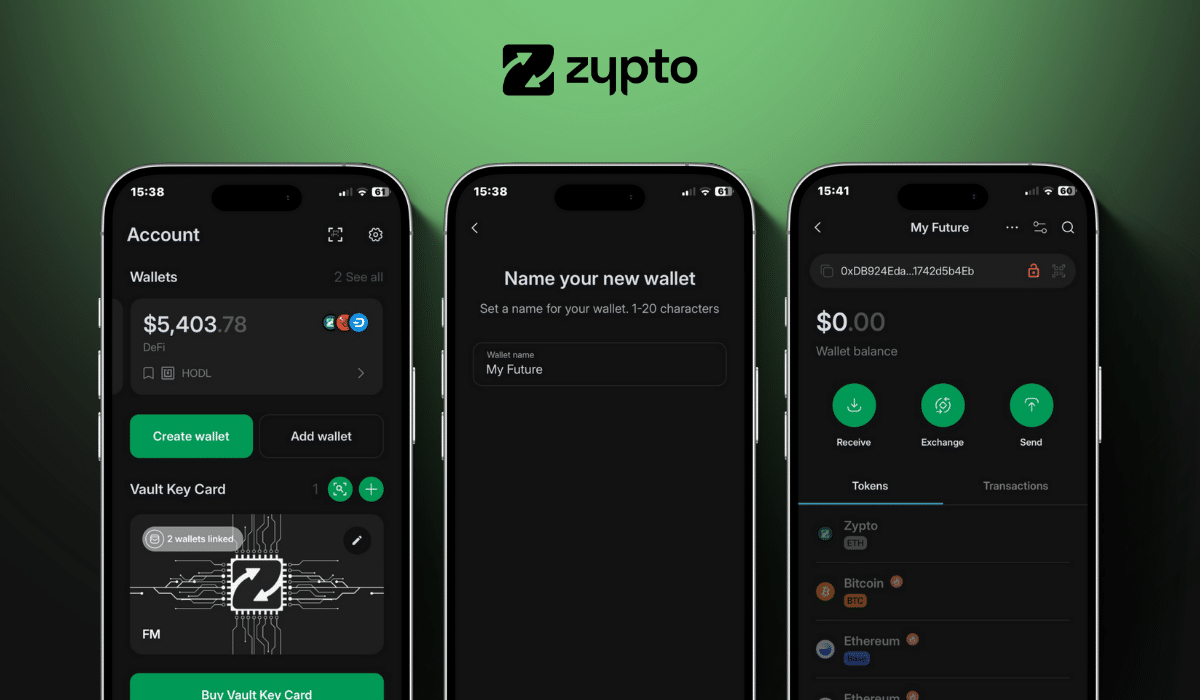
1. Download Zypto App
Download the app from the App Store or Google Play. It’s free and supports 25+ languages.
2. Create or import your wallet
Open Zypto App and choose to create a new wallet, or import an existing one with a recovery phrase.
3. Secure your wallet
Write down your recovery phrase and keep it somewhere safe and somewhere offline. Set up your app PIN and activate optional biometric login for added protection. Remember that Zypto is non-custodial, so only you ever control your keys.
4. Generate your blockchain addresses
Select ‘Receive’ from the menu and search for a digital asset such as Bitcoin, Ethereum, or XRP. Select it to generate a unique wallet address for sending and receiving tokens on that blockchain.
5. Add funds or connect onramps
Transfer coins and tokens from another wallet, use Zypto’s 130+ fiat onramps, or swap from asset to asset across multi chains, directly in the app.
6. Start using your crypto
Manage tokens, connect to dApps, swap across multi chains, and use your crypto for real-world utility with Zypto crypto cards, crypto bill pay, mobile top-ups, and USDC cash-in and cash-out at participating MoneyGram locations worldwide.
From there, you’re ready to explore the entire DeFi ecosystem – without giving up self-custody.
Understand Crypto Apps in Practice
Learn what crypto apps do, how different types of crypto apps work, and how they support everyday crypto use.



Ready to Take Control of Your Crypto?
Get the multichain DeFi wallet app that lets you buy, trade, spend and protect your crypto – all in one place.

Frequently Asked Questions
Is Zypto App a self‑custody wallet?
Yes – you fully control your private keys and assets. Zypto App is built for non‑custodial DeFi wallet management, with optional cold storage via the Vault Key Card.
What cryptocurrencies and blockchains are supported?
Zypto App supports over 24,000 coins and tokens across major blockchains including Ethereum, Bitcoin, BNB Chain, XRP Ledger and more.
Can I buy crypto with fiat in the app?
Absolutely. You can buy crypto with credit/debit cards, Google Pay, Apple Pay, and 130+ other methods in 190+ countries.
Is Zypto secure?
Yes. Zypto App uses advanced biometric protection, PIN login, 3FA, and optional cold storage with the Vault Key Card.
Does Zypto support XRP?
100%. You can hold, trade, and swap XRP via the XRP Ledger – including support for dApps and native swaps.
What are the fees?
Fees vary by service, but we aim to keep them low. Crypto swaps and card reloads are among the most competitive on the market.
Where is Zypto available?
Zypto App is available all over the world, supports 25 languages, and displays over 100 local currencies. Download it from the App Store or Google Play.
Latest from the Zypto Blog
Is the Vault Key Card Worth Using If You’re New to Crypto?
Being new to crypto does not change how authorization risk works. Every wallet, regardless of experience level, relies on transaction approval. The...
Why Open Wallet Connectivity Matters in Crypto
Crypto was designed to be interoperable. Wallets, applications, and protocols were meant to work together without requiring permission from a centr...
DeFi Wallet App: What It Is and Why More Users Are Choosing DeFi First
A DeFi wallet app is designed for people who want direct access to decentralised finance, without giving up control of their assets. For some users...
Can You Use DeFi Without MetaMask?
Yes. MetaMask is one way to access DeFi, but it is not a requirement. DeFi is a set of protocols that live on blockchains. It does not belong to an...
Probably the Best Fantom Wallet for FTM and Fantom Opera Assets
The Fantom wallet inside Zypto App gives you secure, direct control of your FTM and every token on the Fantom Opera blockchain. It is designed for ...
A True Multi-chain Wallet: One App, Multi Chain
Managing assets across multiple blockchains has always been a headache. One wallet for Ethereum, another for Solana, yet another for Tron – p...
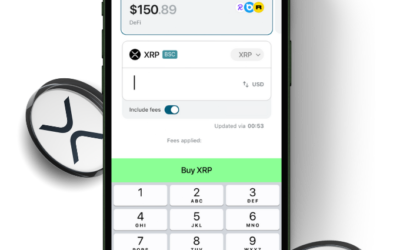
The Best Tron Wallet App for 2025: Fast, Secure, and Ready for Web3
Tron has long been one of crypto’s most used blockchains – powering everything from stablecoin transfers to DeFi, NFTs, and Web3 gaming. In...

How Crypto Apps Access dApps Securely
Decentralized applications do not live inside crypto apps. dApps run on blockchains or decentralized networks, while crypto apps provide a way for ...
Cold Storage vs Leaving Crypto on Exchanges
When people first enter crypto, exchanges are often where everything begins. They make it easy to buy, sell, and view balances in one place. For ma...

The Best Stablecoin Wallet in 2025: Security, Utility & Multi-Chain Power
Stablecoins have become the workhorses of crypto, powering payments, DeFi, remittances, and the global on-chain economy. USDT, USDC, DAI, and USD1 ...
What Makes a True Crosschain Wallet?
The term crosschain wallet gets used a lot in crypto, but very few apps truly deliver on it. Most wallets can store tokens from different blockchai...
Multichain Wallet vs Crosschain Wallet
The terms multichain wallet and crosschain wallet are often used interchangeably. They sound similar, and in some cases they overlap. But they desc...
More Than a Polygon Wallet App – A Multichain Gateway
Polygon has become one of the most popular blockchains for fast, low cost transactions, powering everything from DeFi protocols to gaming, NFTs, an...
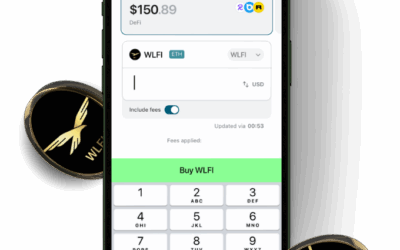
Vault Key Card vs Device-Based Hardware Wallets (When VKC Makes More Sense)
The Vault Key Card and device-based hardware wallets both provide cold authorization. The difference is not whether they are secure, but how they i...
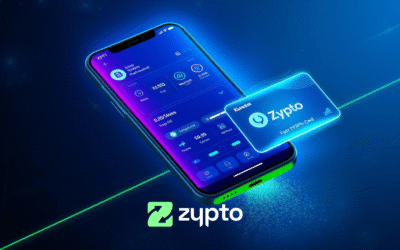
How to Set Up a Base Wallet in Zypto App
If you’re wondering how to set up a Base wallet, Zypto App makes it easy. In just a few taps, you can go from zero to full Base Chain access, rea...
Your Complete Ripple Wallet – From Daily Access to Cold Storage
The Ripple network continues to grow in real-world adoption, powering faster, low-cost transactions across the globe. Whether you use XRP for tradi...
How to Set Up a Polygon Wallet in Minutes
Polygon is one of the most widely used blockchains in Web3 today. Known for its fast transaction speeds, low fees, and vibrant DeFi ecosystem, Poly...
How to Set Up a Solana Wallet in Zypto App
Solana is built for speed, scalability, and smart DeFi, but none of that matters without the right wallet. Whether you’re holding SOL, swapping S...

When Is a Multi-Functional Crypto App Enough on Its Own?
Crypto software has historically been fragmented. Users were expected to rely on separate tools for storage, trading, on-chain access, and real-wor...
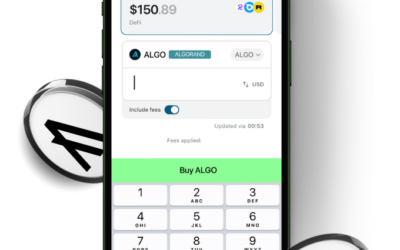
How to Set Up a TRX / Tron Wallet in Zypto App
New to Tron? Setting up a secure TRX / Tron wallet doesn’t need to be complicated. Whether you’re storing TRX, managing Trc20 tokens, or connec...
Can Mobile Crypto Apps Be Secure?
Mobile crypto apps are now a common way people interact with crypto. They are used to view balances, send and receive funds, convert assets, and in...
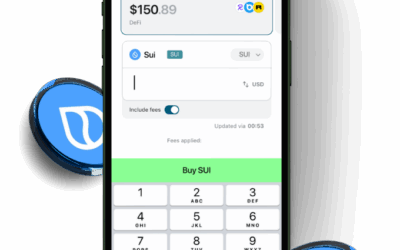
The Best EVM Wallet for Every Chain and Every Token
The Ethereum Virtual Machine (EVM) powers most of the blockchains that define Web3 today, and choosing the right EVM wallet is the key to staying c...
Centralized vs Decentralized Crypto Platforms
Crypto platforms are often described as either centralized or decentralized. These labels are frequently used as shorthand, but they are commonly m...
Do You Need the Vault Key Card for Every Transaction?
The Vault Key Card is only required for transactions made from wallets that are linked to it. When a wallet is attached to the Vault Key Card, phys...

