แอปกระเป๋า Nano (XNO) ที่ดีที่สุดสำหรับใช้งานจริง
XNO · Nanoกำลังมองหากระเป๋า Nano อยู่ใช่ไหม Zypto App (แอป Zypto) ยังไม่ใช่กระเป๋านั้น Nano ไม่ได้อยู่ในกว่า 20 เชนที่ผสานไว้ จึงถือ swap หรือใช้ XNO ชำระเงินที่นั่นไม่ได้ สิ่งที่ Zypto ครอบคลุมและวิธีเปลี่ยนแปลงเรื่องนี้อยู่ด้านล่าง
Nano ทำงานบนเครือข่าย Nano ซึ่งยังไม่ถูกผสานใน Zypto App (แอป Zypto) ขอ Nano บน X แล้วเราจะเร่งเพิ่มให้ เพื่อให้คุณถือและ swap Nano ได้
ขอ Nano ใน Zypto App (แอป Zypto)

XNO กับ Zypto App (แอป Zypto): สถานะปัจจุบัน
Nano ยังไม่ถูกผสานใน Zypto App (แอป Zypto) จึงถือ swap หรือใช้จ่าย XNO ในแอปไม่ได้
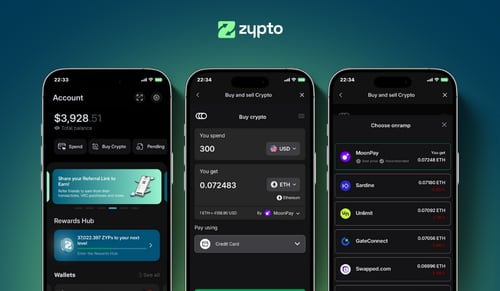
Zypto App (แอป Zypto) คือกระเป๋าที่ไม่มีผู้ดูแลสำหรับ 20+ เชนที่ผสานไว้ ถือกุญแจของคุณเอง swap ผ่าน DEX on-chain เชื่อมต่อ dApp และใช้คริปโตของคุณเพื่อการใช้จ่ายในชีวิตจริงผ่าน Zypto Premium VISA Card (บัตร Zypto Premium VISA) บัตรของขวัญ เติมเงินมือถือ และจ่ายบิล
เชนใหม่จะถูกเพิ่มตามลำดับในโรดแมปและตามความต้องการที่เราเห็น การบอกเราบน X คือวิธีที่เร็วที่สุดในการดัน Nano ขึ้นคิว
สถานะของ Nano (XNO) กับ Zypto App (แอป Zypto)
Zypto App (แอป Zypto) ยังไม่ได้ผสาน Nano วันนี้จึงถือ swap หรือใช้ XNO เป็นวิธีชำระเงินที่นั่นไม่ได้ การบอกตรงไปตรงมาบนหน้านี้ดีกว่าปล่อยให้คุณดาวน์โหลดแอปแล้วมาพบเอง
สิ่งที่แอปครอบคลุมคือกว่า 20 เชนที่ผสานไว้ พร้อมกุญแจแบบไม่มีผู้ดูแลที่สร้างบนอุปกรณ์ของคุณ มี DEX ในแอปสำหรับ swap สินทรัพย์ราว 24,000 รายการ มี WalletConnect สำหรับ dApp และมี Zypto Premium Visa Card ที่เติมได้จากสิ่งที่คุณถืออยู่ ถ้าพอร์ตของคุณส่วนใดอยู่บน Ethereum, Solana, Polygon, BNB Chain, TRON หรือเชนอื่นที่ผสานไว้ Zypto App (แอป Zypto) ก็คุ้มที่จะมีไว้ควบคู่กับกระเป๋า Nano ของคุณ
ลำดับการผสานมาจากโรดแมปของเราและเสียงเรียกร้องจากชุมชน ซึ่งเป็นส่วนที่คุณขยับได้ คำขอสาธารณะถูกนับ
กำลังมองหากระเป๋า Nano อยู่ใช่ไหม
Zypto App (แอป Zypto) ยังไม่ใช่กระเป๋านั้น และการชี้ให้คุณไปใช้ทั้งที่ยังไม่ได้ก็เสียเวลาเปล่า สำหรับ XNO คุณต้องใช้กระเป๋าที่รองรับ Nano กลับมาที่นี่อีกครั้งเมื่อ Nano ถูกผสาน หรือลงทะเบียนคำขอเพื่อดันให้ขึ้นคิว บล็อกสถานะด้านบนแสดงทุกเชนที่เราตรวจสอบสำหรับ XNO และสิ่งที่ Zypto รองรับบนแต่ละเชน
ไปต่อจากนี้ได้ที่ไหน
ดูรายละเอียด
บล็อกสถานะด้านบนแสดงทุกเชนที่ XNO อยู่ และสิ่งที่ Zypto รองรับบนแต่ละเชน
ขอให้เพิ่ม Nano
โพสต์สาธารณะเพียงโพสต์เดียวบอกเราว่าเรื่องนี้สำคัญกับคุณ เสียงเรียกร้องจากชุมชนเป็นหนึ่งในปัจจัยกำหนดลำดับการผสาน
ใช้แอปสำหรับส่วนที่เหลือ
กว่า 20 เชน คีย์แบบไม่ฝากดูแล สลับเหรียญในแอป และบัตร Premium Visa พร้อมรองรับ XNO เมื่อ Nano เข้าระบบ
Zypto App (แอป Zypto) จัดการกุญแจของคุณอย่างไร
Zypto App (แอป Zypto) เป็นกระเป๋าที่ไม่มีผู้ดูแลสำหรับทุกสินทรัพย์ที่รองรับ กุญแจส่วนตัวถูกสร้างและเก็บไว้บนอุปกรณ์ของคุณ Zypto ไม่มีทางเข้าถึงเงินของคุณ และทุกธุรกรรมถูกเซ็นในเครื่อง สำหรับการเข้าถึงบัญชี ผู้ใช้ทุกคนตั้ง PIN พร้อมความปลอดภัยด้วยไบโอเมตริกเสริม (ลายนิ้วมือหรือการจดจำใบหน้า) คุณยังกรองกระเป๋าให้แสดงเฉพาะโทเคนที่ผ่านการตรวจสอบได้ เพื่อป้องกันแอร์ดรอปสุ่มหรือสินทรัพย์ที่ไม่ปลอดภัย สำหรับความปลอดภัยระดับฮาร์ดแวร์แบบออฟไลน์ ใช้คู่กับ Vault Key Card (บัตรกุญแจนิรภัย) ฮาร์ดแวร์ cold wallet รูปแบบบัตรที่เซ็นธุรกรรมผ่าน NFC โดยกุญแจไม่เคยสัมผัสอินเทอร์เน็ต
Nano คืออะไร?
Nano คือสกุลเงินดิจิทัลที่ไม่มีค่าธรรมเนียม สร้างขึ้นสำหรับการชำระเงินในชีวิตประจำวันที่รวดเร็ว การอธิบายอย่างเป็นทางการของโปรเจกต์คือเงินที่ทำงานเหมือนเงินสดในกระเป๋าของคุณ ซึ่ง 100% ของมูลค่าที่ส่งจะไปถึงผู้รับเต็มจำนวน เพราะไม่มีค่าธรรมเนียมธุรกรรม Nano ทำงานบนเครือข่ายของตัวเอง ไม่ได้สร้างซ้อนบนบล็อกเชนอื่น แทนที่จะใช้เชนเดียวที่ใช้ร่วมกัน Nano ใช้โครงสร้างแบบ block-lattice ที่แต่ละบัญชีมีเชนเป็นของตัวเอง ผสมผสานกับวิธี consensus ที่เรียกว่า Open Representative Voting การออกแบบนี้ยืนยันธุรกรรมได้ในเวลาต่ำกว่าหนึ่งวินาที และใช้พลังงานต่อธุรกรรมน้อยมาก โดยไม่ต้องขุดหรือสร้างเหรียญใหม่ XNO คือหน่วยหลักของเครือข่าย Nano ปริมาณอุปทานถูกกำหนดตายตัวและกระจายเต็มจำนวนแล้วที่ประมาณ 133 ล้าน XNO โดยไม่มีการออกเพิ่มอีกตามเวลา Nano เป็นโปรเจกต์ที่ตั้งตัวแล้วและดำเนินงานมาหลายปี โดยเน้นด้านการชำระเงินอย่างชัดเจนมากกว่าจะเป็นแพลตฟอร์มสมาร์ทคอนแทรกต์ในวงกว้าง คุณสามารถตรวจสอบราคา Nano และถือครอง XNO ในวอลเล็ตแบบ self-custody ได้
สิ่งที่ Zypto App (แอป Zypto) ทำได้วันนี้
Zypto App (แอป Zypto) เชื่อมคริปโตกับการใช้จ่ายในชีวิตจริงบนเชนที่ผสานไว้ นี่คือสิ่งที่ส่วนอื่นของผลิตภัณฑ์ทำได้ ระหว่างที่ Nano ยังไม่ได้อยู่ในนั้น
การจัดเก็บแบบออฟไลน์ด้วย Vault Key Card (บัตรกุญแจนิรภัย)
ฮาร์ดแวร์ cold wallet รูปแบบบัตร แตะ NFC เพื่อเซ็นธุรกรรมสำหรับสินทรัพย์ที่ Zypto รองรับ กุญแจไม่เคยสัมผัสอินเทอร์เน็ต
Vault Key Card (บัตรกุญแจนิรภัย)ใช้บัตรคริปโต Visa
เติมคริปโตเข้า Zypto Premium Visa Card ทั้งบัตรจริงและบัตรเสมือน ใช้ได้ทุกที่ที่รับบัตร Visa
บัตรคริปโตจ่ายบิลด้วยคริปโต
ชำระค่าสาธารณูปโภคและค่าบริการมือถือกับผู้ให้บริการชำระบิลทั่วโลก จ่ายด้วยคริปโตจากกระเป๋า Zypto ของคุณ
จ่ายบิลซื้อบัตรของขวัญด้วยคริปโต
บัตรของขวัญจากแบรนด์ยอดนิยม จ่ายด้วยคริปโต ชำระในแอป ใช้ได้ทันที
บัตรของขวัญเติมเงินมือถือใด ๆ
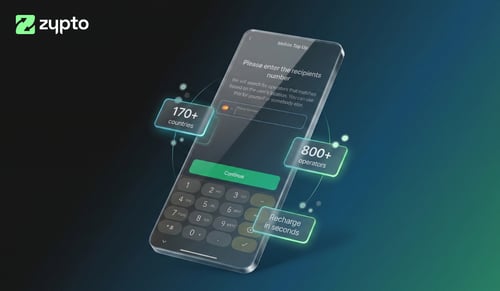
ส่งเครดิตมือถือไปได้หลายประเทศภายในไม่กี่วินาที จ่ายด้วยคริปโต ผู้รับได้รับค่าโทรในประเทศของตน
เติมเงินมือถือswap ข้ามเครือข่าย
swap ได้ในสินทรัพย์กว่า 24,000 รายการ และเส้นทางข้ามเชนกว่า 1,000,000 เส้นทาง บนทุกเชนที่ Zypto ผสานไว้ ทั้งหมดในแอป จบในสองแตะ
กระเป๋า multichainจ่ายด้วยคริปโต
Zypto App (แอป Zypto) รองรับคริปโทเคอร์เรนซี 100+ สกุล สำหรับการเติมบัตร เติมเงินมือถือ จ่ายบิล และบัตรของขวัญ swap สินทรัพย์ใดก็ได้เป็นเหรียญที่รองรับภายในแอป เพียงไม่กี่แตะ
Zypto Pay (ระบบชำระเงิน Zypto)ถือสินทรัพย์เหล่านี้ควบคู่กับ Nano
swap ข้ามเชนย้ายมูลค่าระหว่างสิ่งเหล่านี้ได้ บนเชนที่ Zypto ผสานไว้แล้ว






















664+ dedicated wallet pages
คำถามที่พบบ่อยเรื่องกระเป๋า Nano
แอปกระเป๋า Nano ที่ดีที่สุดคืออะไร?
ขึ้นอยู่กับว่าคุณอยากทำอะไรกับ XNO ของคุณ และ Zypto App (แอป Zypto) ขอพูดตรงไปตรงมาว่าแอปยังถือ XNO ไม่ได้ จึงไม่ใช่คำตอบสำหรับกรณีนี้ ถ้าต้องการกระเป๋าที่ทำได้ คุณต้องใช้กระเป๋าที่รองรับ Nano แต่ถ้าสินทรัพย์ที่เหลือของคุณอยู่บนกว่า 20 เชนที่ Zypto ผสานไว้ แอปจะเก็บให้โดยคุณควบคุมกุญแจเอง swap ระหว่างกันได้ เชื่อมต่อ dApp และเปลี่ยนมูลค่าเป็นการใช้จ่ายในชีวิตจริง
Zypto App (แอป Zypto) เป็นกระเป๋าที่ไม่มีผู้ดูแลหรือไม่
ใช่ กุญแจส่วนตัวของคุณถูกสร้างและเก็บไว้บนอุปกรณ์ของคุณสำหรับทุกสินทรัพย์ที่ Zypto App (แอป Zypto) รองรับ Zypto ไม่มีทางเข้าถึงเงินของคุณ และทุกธุรกรรมถูกเซ็นในเครื่องก่อนส่งออกสู่เครือข่าย
ฉันจะใช้คริปโตเพื่อการใช้จ่ายในชีวิตจริงด้วย Zypto Premium Visa Card ได้อย่างไร?
เมื่อคุณเติมเงินเข้าบัตรใน Zypto App (แอป Zypto) คริปโตของคุณจะถูกแปลงเป็น USD การแปลงเกิดขึ้นตอนเติมเงิน ไม่ใช่ตอน checkout คุณจึงล็อกมูลค่าไว้ได้ เลี่ยงความผันผวน และชำระเงินได้ทุกที่ที่รับบัตร Visa ทั้งนี้ขึ้นอยู่กับคุณสมบัติและวงเงินที่กำหนด
swap Nano ใน Zypto App (แอป Zypto) ได้ไหม
ยังไม่ได้ Nano ยังไม่ผสานใน Zypto App (แอป Zypto) จึง swap XNO ไม่ได้ แอป swap ได้บน 20+ เชนที่ผสานแล้ว บอกเราบน X คือทางเร็วสุดที่จะดัน Nano ขึ้นคิว
ฉันจะสำรองกระเป๋า Nano ได้อย่างไร?
ระหว่างการตั้งค่า Zypto App (แอป Zypto) จะสร้างวลีกู้คืน 12 คำ จดไว้และเก็บแบบออฟไลน์ในที่ปลอดภัย หากต้องการความปลอดภัยระดับ Hardware Wallet แบบออฟไลน์ ให้จับคู่ Zypto App (แอป Zypto) กับ Vault Key Card (บัตรกุญแจนิรภัย) อุปกรณ์ cold wallet รูปทรงบัตรที่เซ็นธุรกรรมผ่าน NFC โดยไม่เปิดเผยกุญแจของคุณต่ออินเทอร์เน็ต
Zypto App (แอป Zypto) ใช้งานได้ในประเทศของฉันหรือไม่?
ตัวกระเป๋าใช้งานได้ทั่วโลกบน iOS, Android (แอนดรอยด์) และเว็บ บางฟีเจอร์ (การซื้อในแอป, Zypto Premium Visa Card) ต่างกันตามภูมิภาค ดูว่าอะไรใช้งานได้ในพื้นที่ของคุณได้ที่หน้า ใช้คริปโตตามประเทศ ของเรา
Zypto App (แอป Zypto) ใช้ฟรีหรือไม่?
แอปดาวน์โหลดและใช้ได้ฟรี ธุรกรรม on-chain มีค่าธรรมเนียมเครือข่ายตามปกติ บริการบัตรและจ่ายบิลมีค่าธรรมเนียมธุรกรรมที่แสดงชัดเจนในแอป
คู่มือและบทวิเคราะห์คริปโต