De beste Quantix Finance (QFI) wallet-app voor dagelijks gebruik
QFI · TRONOp zoek naar een Quantix Finance wallet of een QFI wallet-app die meer doet dan alleen bewaren? Zypto App is een zelfbeheerde multichain DeFi wallet waar je QFI kunt bewaren, kunt swappen naar 24.000+ activa op 20+ blockchains, verbinding kunt maken met dApps en je crypto in de echte wereld aan het werk kunt zetten. Allemaal vanuit één app, met je sleutels op je apparaat.


Wat je kunt doen met QFI in Zypto App
Quantix Finance zit in Zypto App: bewaar het in zelfbeheer, swap het via de DEX'en van de chain en verbind er dApps mee.
QFI wordt nog niet als betaalmiddel geaccepteerd. Swap het in de app naar een stablecoin of andere geaccepteerde asset en geef die waarde daarna uit.
Waarom Zypto de beste Quantix Finance (QFI) wallet is voor dagelijks gebruik
De meeste Quantix Finance wallets doen één ding: QFI bewaren. Zypto App is een volwaardige DeFi wallet, gebouwd om je crypto echt te gebruiken. Bewaar QFI in zelfbeheer op het TRON-netwerk, swap naar 24.000+ activa op 20+ blockchains via DEX-integraties in de app, verbind met dApps via WalletConnect en gebruik de waarde met de Zypto Premium Visa Card en de rekening- en cadeaukaartdiensten van Zypto.
Of je nieuw bent en je eerste Quantix Finance wallet-app of eerste QFI wallet zoekt, of een ervaren DeFi-gebruiker die één wallet wil voor bewaren, swappen en bestedingen in de echte wereld: Zypto is voor beide gebouwd, zonder het zelfbeheer op te geven.
Quantix Finance wallet voor beginners en de beste QFI wallet-app
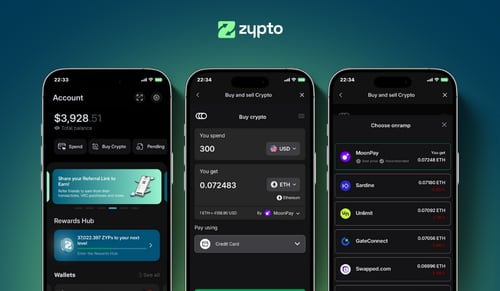
Nieuw met Quantix Finance? Je hebt geen exchange-account nodig voor een wallet. Download Zypto App, genereer je herstelzin en je hebt binnen een minuut een werkende QFI wallet. Voeg je eerste QFI toe door te ontvangen vanuit een andere wallet, of door in de app te kopen waar dat beschikbaar is.
Van nul naar Quantix Finance gebruiken
Download de app
Download Zypto App op iOS of Android. Genereer je herstelzin. Je sleutels blijven op je apparaat.
QFI toevoegen
Ontvang QFI vanuit een andere wallet, of koop in de app waar dat beschikbaar is.
Overal te gebruiken
Waardeer de Zypto Premium Visa Card op, swap naar andere activa, betaal rekeningen of koop cadeaukaarten.
Jij beveiligt je Quantix Finance
Zypto App is zelfbeheerd. Je privésleutels worden op je apparaat gegenereerd en bewaard, Zypto heeft nooit toegang tot je QFI en elke transactie wordt lokaal ondertekend. Voor toegang tot je account stelt elke gebruiker een pincode in, met optionele biometrische beveiliging (vingerafdruk of gezichtsherkenning). Je kunt je wallet ook filteren op alleen geverifieerde tokens, zodat willekeurige airdrops of onveilige activa je niet raken. Voor offline hardwarebeveiliging koppel je de Vault Key Card, cold-wallet hardware in kaartformaat die transacties via NFC ondertekent, je sleutels raken nooit het internet.
Wat is Quantix Finance?
Quantix Finance (QFI) is een on-chain kredietprotocol gebouwd op de TRON-blockchain, gericht op gestructureerd lenen en uitlenen voor professionele en institutionele gebruikers. Het verbindt kredietverstrekkers en kredietnemers via overgecollateraliseerde, naar risico gesegmenteerde leningpools, en voegt rapportage- en monitoringtools toe voor kapitaalbeheerders. QFI is de utility- en governance-token van het protocol. Houders kunnen stemmen over protocolbeslissingen, staken voor rendement en liquiditeit aanleveren, waarbij de token is bedoeld om de belangen van kredietverstrekkers, kredietnemers en poolbeheerders op elkaar af te stemmen. Quantix Finance is de herpositionering van een eerder project, QuantixAI (QAI), en de token migreerde als onderdeel van die verandering naar een nieuw contract. Als nieuwer DeFi-uitleenprotocol op één chain draagt het de gebruikelijke risico's van vroege kredietplatforms, waaronder smart-contract- en tegenpartijrisico, dus bekijk goed hoe de pools werken voordat je het gebruikt. Je kunt de koers van Quantix Finance bekijken en QFI bewaren in een zelfbeheerde wallet.
Wat je kunt doen met Quantix Finance in Zypto
Zypto App verbindt je Quantix Finance met de echte wereld. Swap in de app naar ondersteunde coins en gebruik je Quantix Finance in het dagelijks leven.
Vault Key Card cold storage
Cold-wallet hardware in kaartformaat. Tik via NFC om Quantix Finance-transacties te ondertekenen, je sleutels raken nooit het internet.
Vault Key CardGebruik een crypto Visa-kaart
Laad de Zypto Premium Visa Card op met crypto. Fysieke en virtuele kaarten, te gebruiken overal waar Visa wordt geaccepteerd.
Crypto-kaartenRekeningen betalen met Quantix Finance
Betaal nutsrekeningen en mobiele contracten bij leveranciers wereldwijd, voldaan met crypto vanuit je Zypto wallet.
Rekeningen betalenCadeaukaarten kopen met QFI
Cadeaukaarten van populaire merken, betaald met crypto. Reken af in de app en verzilver direct.
CadeaukaartenLaad elke telefoon op
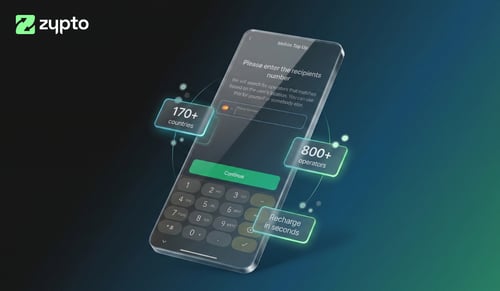
Stuur mobiel tegoed naar veel landen in seconden. Betaal met crypto, de ontvanger krijgt lokaal beltegoed.
Mobiele opwaarderingenSwaps tussen blockchains
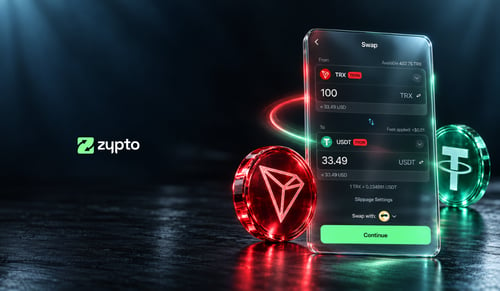
Swap Quantix Finance naar 24.000+ activa via 1.000.000+ cross-chain routes. Alles in de app, in twee tikken.
Multichain walletBetaal met crypto
Zypto App ondersteunt 100+ cryptovaluta voor kaartopwaarderingen, mobiele opwaarderingen, rekeningen betalen en cadeaukaarten. Swap elk activum in de app naar een ondersteunde munt, met een paar tikken.
Zypto PayBewaar deze activa naast Quantix Finance
Met cross-chain swaps wordt je QFI in twee tikken elk van deze activa.



















664+ dedicated wallet pages
Veelgestelde vragen over de Quantix Finance wallet
Wat is de beste Quantix Finance wallet-app?
Dat hangt af van wat je met je QFI wilt doen. Als je alleen bewaart, werkt elke zelfbeheerde wallet. Wil je bewaren, swappen op 20+ blockchains, verbinden met dApps en crypto gebruiken voor bestedingen in de echte wereld, dan is Zypto App daar speciaal voor gebouwd, en nog altijd volledig zelfbeheerd.
Is de Zypto Quantix Finance wallet zelfbeheerd?
Ja. Je privésleutels worden op je apparaat gegenereerd en bewaard. Zypto heeft nooit toegang tot je QFI. Elke transactie wordt lokaal ondertekend.
Hoe gebruik ik crypto met de Zypto Premium Visa Card?
Als je de kaart opwaardeert in Zypto App, wordt je crypto omgezet naar USD. Dat gebeurt bij het opwaarderen, niet bij het afrekenen, dus je zet de waarde vast, omzeilt volatiliteit en betaalt overal waar Visa wordt geaccepteerd, afhankelijk van geschiktheid en geldende limieten.
Naar welke blockchains kan ik Quantix Finance swappen?
Swap naar activa op 20+ blockchains, waaronder Ethereum, Solana, Polygon, Arbitrum, Optimism, BNB Chain en TRON, via 1.000.000+ routes. Alles in de app.
Hoe maak ik een back-up van mijn Quantix Finance wallet?
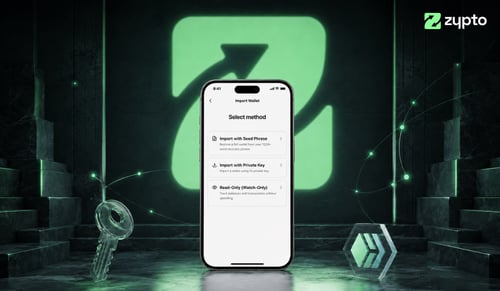
Bij het instellen genereert Zypto App een herstelzin van 12 woorden. Schrijf die op en bewaar hem offline op een veilige plek. Voor offline hardwarebeveiliging koppel je Zypto App aan een Vault Key Card, de cold-wallet hardware in kaartformaat die transacties via NFC ondertekent zonder je sleutels aan het internet bloot te stellen.
Is Zypto App beschikbaar in mijn land?
De wallet zelf is wereldwijd beschikbaar op iOS, Android en web. Sommige functies (kopen in de app, de Zypto Premium Visa Card) verschillen per regio. Bekijk wat er bij jou beschikbaar is op onze pagina Besteden per land.
Is Zypto App gratis?
De app is gratis te downloaden en gebruiken. Voor on-chain transacties gelden standaard netwerkkosten. Kaart- en rekeningkosten zijn transparant.
Crypto-gidsen en inzichten