De beste Nano (XNO) wallet-app voor dagelijks gebruik
XNO · NanoOp zoek naar een Nano-wallet? Zypto App is dat nog niet. Nano hoort niet bij de 20+ chains die de app heeft geïntegreerd, dus XNO kan er niet bewaard, geswapt of als betaalmiddel gebruikt worden. Wat Zypto wel dekt, en hoe je dat verandert, lees je hieronder.
Nano draait op Nano, dat nog niet in Zypto App is geïntegreerd. Vraag Nano aan op X, dan geven we voorrang zodat je Nano kunt bewaren en swappen.
Nano aanvragen in de Zypto App

XNO en Zypto App: hoe het ervoor staat
Nano is nog niet geïntegreerd in Zypto App, dus XNO kan er niet bewaard, geswapt of uitgegeven worden.
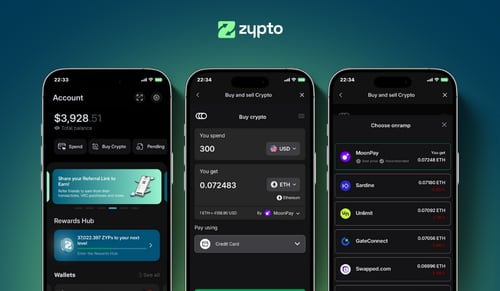
Zypto App is een non-custodial wallet voor 20+ geïntegreerde chains: beheer je eigen sleutels, swap via on-chain DEX'en, verbind met dApps en gebruik je crypto voor uitgaven in de echte wereld met de Zypto Premium VISA Card, cadeaukaarten, mobiele opwaarderingen en rekeningen betalen.
Nieuwe chains komen erbij zodra we ze op de roadmap bereiken en vraag zien. Laat het ons weten op X, zo krijg je Nano het snelst omhoog.
Hoe Nano (XNO) ervoor staat bij Zypto App
Zypto App heeft Nano niet geïntegreerd, dus XNO kan er vandaag niet bewaard, geswapt of als betaalmiddel gebruikt worden. Dat zeggen we hier liever meteen dan dat je de app downloadt en er zelf achter komt.
Wat de app wel dekt, zijn 20+ geïntegreerde chains, met non-custodial sleutels die op je apparaat worden gegenereerd, DEX-integraties in de app voor swaps tussen zo'n 24.000 assets, WalletConnect voor dApps, en een Zypto Premium VISA Card die je kunt opwaarderen vanuit wat je bezit. Staat een deel van je portefeuille op Ethereum, Solana, Polygon, BNB Chain, TRON of de andere geïntegreerde chains, dan is Zypto App het waard naast je Nano-wallet.
De volgorde van integratie komt uit onze roadmap en uit vraag van de community, en die vraag kun jij beïnvloeden. Een publiek verzoek telt mee.
Op zoek naar een Nano-wallet?
Zypto App is die wallet nog niet, en je er toch naartoe sturen zou je tijd kosten. Voor XNO heb je een wallet nodig die Nano ondersteunt. Kom hier terug zodra Nano geïntegreerd is, of registreer het verzoek zodat het omhoog schuift. Het statusblok hierboven toont elke chain die we voor XNO vonden en precies wat Zypto daar ondersteunt.
Hoe je verdergaat
Bekijk de details
Het statusblok hierboven toont elke chain waarop XNO leeft en wat Zypto daar ondersteunt.
Vraag om Nano
Eén openbare post laat ons weten dat dit voor jou telt. Vraag uit de community bepaalt mede de volgorde van integratie.
Gebruik de app voor de rest
20+ chains, non-custodial sleutels, swaps in de app en een Premium VISA Card. Klaar voor XNO zodra Nano er is.
Hoe Zypto App met je sleutels omgaat
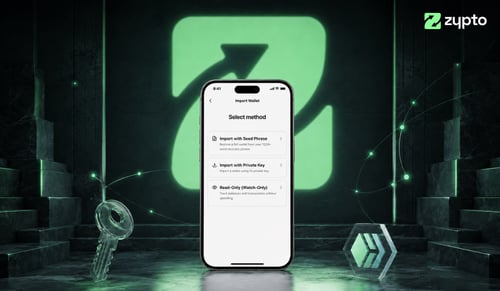
Zypto App is non-custodial voor elke asset die de app ondersteunt. Privésleutels worden op je apparaat gegenereerd en bewaard, Zypto heeft nooit toegang tot je tegoed en elke transactie wordt lokaal getekend. Voor toegang tot je account stelt iedere gebruiker een pincode in, met optionele biometrische beveiliging (vingerafdruk of gezichtsherkenning). Je kunt je wallet ook filteren op alleen geverifieerde tokens, wat je beschermt tegen willekeurige airdrops of onveilige assets. Voor offline hardwarebeveiliging combineer je de app met de Vault Key Card, cold-wallet hardware in kaartvorm die transacties tekent via NFC, waarbij sleutels nooit online komen.
Wat is Nano?
Nano is een kosteloze digitale valuta gebouwd voor snelle, alledaagse betalingen. Het project omschrijft zichzelf officieel als geld dat werkt als contant geld in je zak, waarbij 100% van de verzonden waarde de ontvanger bereikt omdat er geen transactiekosten zijn. Het draait op zijn eigen netwerk in plaats van bovenop een andere blockchain. In plaats van één gedeelde chain gebruikt Nano een block-lattice-structuur waarbij elk account zijn eigen chain heeft, gecombineerd met een consensusmethode genaamd Open Representative Voting. Dit ontwerp wikkelt transacties ruim binnen een seconde af en verbruikt zeer weinig energie per transactie, zonder mining of minting. XNO is de native eenheid van het Nano-netwerk. De voorraad ligt vast en is volledig verdeeld op ongeveer 133 miljoen XNO, zonder nieuwe uitgifte in de loop van de tijd. Nano is een gevestigd project dat al enkele jaren draait, met een duidelijke focus op betalingen in plaats van een breed smart-contractplatform. Je kunt de koers van Nano bekijken en XNO bewaren in een zelfbeheerde wallet.
Wat Zypto App vandaag doet
Zypto App verbindt crypto met uitgaven in de echte wereld op de geïntegreerde chains. Dit doet de rest van het product zolang Nano daar niet bij hoort.
Vault Key Card cold storage
Cold-wallet hardware in kaartvorm. Tik met NFC om transacties te tekenen voor de assets die Zypto ondersteunt, sleutels komen nooit online.
Vault Key CardGebruik een crypto Visa-kaart
Laad de Zypto Premium Visa Card op met crypto. Fysieke en virtuele kaarten, te gebruiken overal waar Visa wordt geaccepteerd.
Crypto-kaartenRekeningen betalen met crypto
Betaal nutsrekeningen en mobiele contracten bij leveranciers wereldwijd, voldaan met crypto vanuit je Zypto wallet.
Rekeningen betalenCadeaukaarten kopen met crypto
Cadeaukaarten van populaire merken, betaald met crypto. Reken af in de app en verzilver direct.
CadeaukaartenLaad elke telefoon op
Stuur mobiel tegoed naar veel landen in seconden. Betaal met crypto, de ontvanger krijgt lokaal beltegoed.
Mobiele opwaarderingenSwaps tussen blockchains
Swap tussen 24.000+ assets en 1.000.000+ cross-chain routes, op elke chain die Zypto heeft geïntegreerd. Alles in de app, alles met twee taps.
Multichain walletBetaal met crypto
Zypto App ondersteunt 100+ cryptovaluta voor kaartopwaarderingen, mobiele opwaarderingen, rekeningen betalen en cadeaukaarten. Swap elk activum in de app naar een ondersteunde munt, met een paar tikken.
Zypto PayBewaar deze activa naast Nano
Cross-chain swaps verplaatsen waarde tussen al deze assets, op de chains die Zypto heeft geïntegreerd.






















664+ dedicated wallet pages
Veelgestelde vragen over de Nano wallet
Wat is de beste Nano wallet-app?
Dat hangt af van wat je met je XNO wilt doen, en Zypto App is eerlijk over zijn eigen rol: de app kan XNO nog niet bewaren en is hiervoor dus niet het antwoord. Voor een wallet die dat wel kan, heb je er een nodig die Nano ondersteunt. Zit de rest van je bezit op de 20+ chains die Zypto heeft geïntegreerd, dan bewaart de app die non-custodial, swapt ertussen, verbindt met dApps en zet de waarde om in uitgaven in de echte wereld.
Is Zypto App een non-custodial wallet?
Ja. Je privésleutels worden op je apparaat gegenereerd en bewaard, voor elke asset die Zypto App ondersteunt. Zypto heeft nooit toegang tot je tegoed, en elke transactie wordt lokaal getekend voordat die het netwerk bereikt.
Hoe gebruik ik crypto met de Zypto Premium Visa Card?
Als je de kaart opwaardeert in Zypto App, wordt je crypto omgezet naar USD. Dat gebeurt bij het opwaarderen, niet bij het afrekenen, dus je zet de waarde vast, omzeilt volatiliteit en betaalt overal waar Visa wordt geaccepteerd, afhankelijk van geschiktheid en geldende limieten.
Kan ik Nano swappen in Zypto App?
Nog niet. Nano is niet geïntegreerd in Zypto App, dus XNO kan er niet geswapt worden. De app swapt op 20+ chains; vraag Nano aan op X.
Hoe maak ik een back-up van mijn Nano wallet?
Bij het instellen genereert Zypto App een herstelzin van 12 woorden. Schrijf die op en bewaar hem offline op een veilige plek. Voor offline hardwarebeveiliging koppel je Zypto App aan een Vault Key Card, de cold-wallet hardware in kaartformaat die transacties via NFC ondertekent zonder je sleutels aan het internet bloot te stellen.
Is Zypto App beschikbaar in mijn land?
De wallet zelf is wereldwijd beschikbaar op iOS, Android en web. Sommige functies (kopen in de app, de Zypto Premium Visa Card) verschillen per regio. Bekijk wat er bij jou beschikbaar is op onze pagina Besteden per land.
Is Zypto App gratis?
De app is gratis te downloaden en gebruiken. Voor on-chain transacties gelden standaard netwerkkosten. Kaart- en rekeningkosten zijn transparant.
Crypto-gidsen en inzichten