بهترین اپ کیفپول Impossible Cloud Network Token (ICNT) برای استفاده واقعی
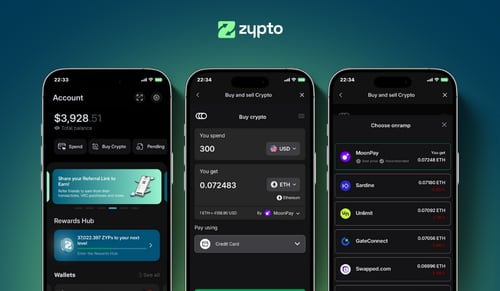
ICNT · Ethereum · Baseبه دنبال کیفپول Impossible Cloud Network Token یا اپ کیفپول ICNT هستید که کاری بیش از نگهداری انجام دهد؟ Zypto App (اپلیکیشن Zypto) یک کیفپول DeFi غیرحضانتی و چندشبکهای است که در آن میتوانید ICNT نگه دارید، به بیش از 24,000 دارایی در بیش از 20 شبکه سواپ کنید، به dAppها وصل شوید و رمزارزتان را در دنیای واقعی به کار بیندازید. همه از یک اپ، کلیدها روی دستگاه خودتان.


با ICNT در Zypto App (اپلیکیشن Zypto) چه میتوانید بکنید
Impossible Cloud Network Token در Zypto App (اپلیکیشن Zypto) موجود است: آن را با خودنگهداری نگه دارید، از طریق DEXهای همان شبکه سواپ کنید و با آن به dAppها متصل شوید.
ICNT هنوز بهعنوان روش پرداخت پذیرفته نمیشود. برای خرج کردن ارزش آن، داخل اپ آن را به یک استیبلکوین یا دارایی پذیرفتهشده دیگر سواپ کنید، سپس از آن برای شارژ کارت، گیفت کارت، شارژ موبایل و پرداخت قبض استفاده کنید.
چرا Zypto بهترین کیفپول Impossible Cloud Network Token (ICNT) برای استفاده روزمره است
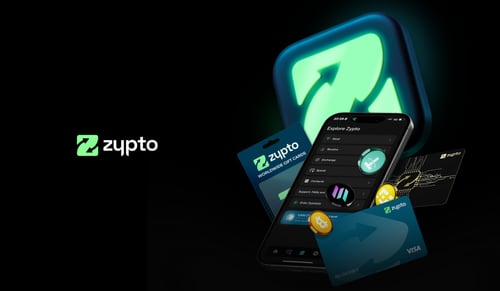
بیشتر کیفپولهای Impossible Cloud Network Token یک کار میکنند: نگهداری ICNT. Zypto App (اپلیکیشن Zypto) یک کیفپول کامل دیفای است که برای استفاده واقعی از آن ساخته شده است. ICNT را بهشکل غیرحضانتی روی چند شبکه نگه دارید، با یکپارچهسازیهای DEX داخل اپ به بیش از 24,000 دارایی در بیش از 20 شبکه سواپ کنید، با WalletConnect به dAppها متصل شوید و ارزش آن را از طریق Zypto Premium Visa Card و بخشهای پرداخت قبض و گیفت کارت Zypto به کار بگیرید.
چه تازهکار باشید و به دنبال اولین اپ کیفپول Impossible Cloud Network Token یا اولین کیفپول ICNT خود، چه کاربر باتجربه DeFi که یک کیفپول برای نگهداری، سواپ و خرج کردن در دنیای واقعی میخواهد، Zypto برای هر دو ساخته شده است، بدون آنکه خودنگهداری فدا شود.
کیفپول Impossible Cloud Network Token برای تازهکارها و بهترین اپ کیفپول ICNT
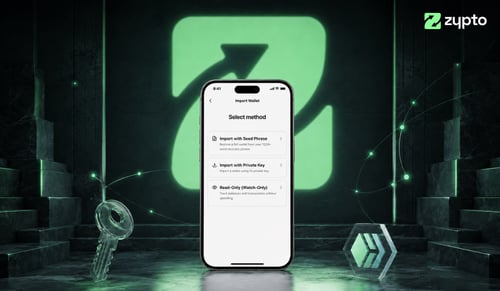
با Impossible Cloud Network Token تازه آشنا شدهاید؟ برای داشتن کیفپول به حساب صرافی نیاز ندارید. Zypto App (اپلیکیشن Zypto) را دانلود کنید، عبارت بازیابی خود را بسازید و در کمتر از یک دقیقه یک کیفپول ICNT فعال دارید. اولین ICNT خود را با دریافت از کیفپول دیگری، یا با خرید داخل اپ در جاهایی که پشتیبانی میشود، اضافه کنید.
از صفر تا استفاده از Impossible Cloud Network Token
اپ را دریافت کنید
Zypto App (اپلیکیشن Zypto) را روی iOS یا Android (اندروید) دانلود کنید. عبارت بازیابی خود را بسازید. کلیدهای شما روی دستگاهتان میمانند.
ICNT را اضافه کنید
ICNT را از کیفپول دیگری دریافت کنید، یا در جاهایی که پشتیبانی میشود داخل اپ بخرید.
در زندگی روزمره استفاده کنید
Zypto Premium Visa Card را شارژ کنید، به داراییهای دیگر سواپ کنید، قبض پرداخت کنید یا گیفت کارت بخرید.
Impossible Cloud Network Token شما را خودتان ایمن نگه میدارید
Zypto App (اپلیکیشن Zypto) غیرحضانتی است. کلیدهای خصوصی شما روی دستگاهتان ساخته و ذخیره میشوند، Zypto هرگز به ICNT شما دسترسی ندارد و هر تراکنش محلی امضا میشود. برای دسترسی به حساب، هر کاربر یک PIN تعیین میکند و میتواند امنیت بیومتریک (اثر انگشت یا تشخیص چهره) را هم اضافه کند. میتوانید کیفپول را طوری فیلتر کنید که فقط توکنهای تأییدشده را نشان دهد و از ایردراپهای ناشناس یا داراییهای ناامن در امان بمانید. برای امنیت سختافزاری آفلاین، با Vault Key Card (کارت کلید گاوصندوق) جفت کنید، سختافزار کیفپول سرد در قالب کارت که تراکنشها را با NFC امضا میکند، کلیدها هرگز به اینترنت وصل نمیشوند.
Impossible Cloud Network Token چیست؟
Impossible Cloud Network Token (ICNT) توکن بومی Impossible Cloud Network است، یک پروژه زیرساخت غیرمتمرکز (DePIN) که خدمات ابری در سطح سازمانی مانند ذخیرهسازی، محاسبات و شبکهسازی ارائه میدهد. ارائهدهندگان سختافزار منابع فیزیکی را به شبکه اضافه میکنند و ارائهدهندگان خدمات از آن ظرفیت استفاده میکنند، در حالی که پروتکل این دو طرف را بهصورت آنچین هماهنگ میکند. ICNT دو نقش اصلی دارد. اپراتورهای سختافزار آن را بهعنوان وثیقه برای پیوستن و اجرای نودها استیک میکنند، و ارائهدهندگان خدمات از آن برای دسترسی به ظرفیت شبکه و پرداخت هزینه خدمات استفاده میکنند، در حالی که اپراتورهای نود آن را بهعنوان پاداش کسب میکنند. این توکن عرضه کل 700 میلیون دارد که بین پاداشهای شبکه، تیم، سرمایهگذاران و توسعه اکوسیستم تخصیص یافته است. این پروژه بر پایه یک کسبوکار موجود در حوزه ذخیرهسازی شیءمحور ساخته شده که به آن کاربرد واقعی برای اشارهکردن میدهد، هرچند ابر غیرمتمرکز دستهبندیای رقابتی و همچنان در حال توسعه است. میتوانید قیمت Impossible Cloud Network Token را دنبال کنید و ICNT را در یک کیفپول خودنگهدار نگه دارید.
با Impossible Cloud Network Token در Zypto چه میتوانید بکنید
Zypto App (اپلیکیشن Zypto)، Impossible Cloud Network Token شما را به خرید در دنیای واقعی وصل میکند. داخل اپ به کوینهای پشتیبانیشده سواپ کنید و از Impossible Cloud Network Token در دنیای واقعی استفاده کنید.
ذخیرهسازی سرد با Vault Key Card (کارت کلید گاوصندوق)
سختافزار کیفپول سرد در قالب کارت. با لمس NFC تراکنشهای Impossible Cloud Network Token را امضا کنید، کلیدها هرگز به اینترنت وصل نمیشوند.
Vault Key Card (کارت کلید گاوصندوق)از کارت Visa کریپتو استفاده کنید
Zypto Premium Visa Card را با رمزارز شارژ کنید. کارت فیزیکی و مجازی، هر جا که Visa پذیرفته میشود از آنها استفاده کنید.
کارتهای کریپتوبا Impossible Cloud Network Token قبض پرداخت کنید
قبضهای خدماتی و قراردادهای موبایل را با سرویسدهندگان در کشورهای بسیار تسویه کنید، با پرداخت از رمزارز کیفپول Zypto خودتان.
پرداخت قبضبا ICNT گیفت کارت بخرید
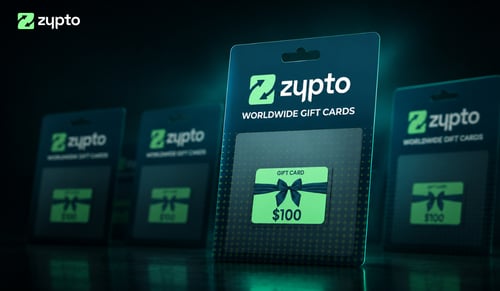
گیفت کارت برندهای محبوب، با پرداخت رمزارز. داخل اپ تسویه کنید و بیدرنگ استفاده کنید.
کارتهای هدیههر موبایلی را شارژ کنید
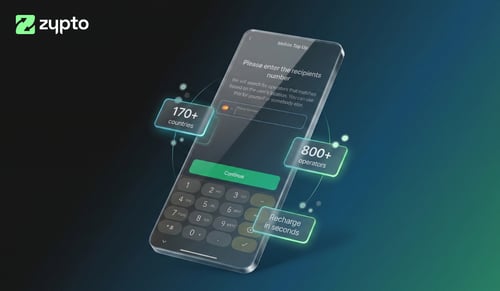
در چند ثانیه به بسیاری از کشورها شارژ موبایل بفرستید. با رمزارز پرداخت کنید، گیرنده شارژ اپراتور محلی خود را میگیرد.
شارژ موبایلسواپهای بینشبکهای
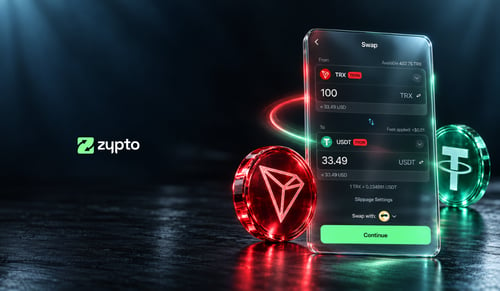
Impossible Cloud Network Token را به بیش از 24,000 دارایی در بیش از 1,000,000 مسیر بینشبکهای سواپ کنید. همه داخل اپ، همه با دو ضربه.
کیفپول چندشبکهبا رمزارز پرداخت کنید
Zypto App (اپلیکیشن Zypto) از بیش از 100 رمزارز برای شارژ کارت، شارژ موبایل، پرداخت قبض و گیفت کارت پشتیبانی میکند. هر دارایی را داخل اپ به یک کوین پشتیبانیشده سواپ کنید، همه با چند لمس.
Zypto Pay (پرداخت Zypto)هر یک از اینها را در کنار Impossible Cloud Network Token نگه دارید
سواپ بینشبکهای یعنی ICNT شما با دو ضربه به هر یک از اینها تبدیل میشود.






















بیش از 664 صفحه اختصاصی کیفپول
سؤالات متداول کیفپول Impossible Cloud Network Token
بهترین اپ کیفپول Impossible Cloud Network Token کدام است؟
این بستگی دارد به اینکه با ICNT خود چه میخواهید بکنید. اگر فقط نگه میدارید، هر کیفپول غیرحضانتی کار را راه میاندازد. اگر میخواهید نگه دارید، در بیش از 20 شبکه سواپ کنید، به dAppها وصل شوید و از رمزارز برای خرج کردن در دنیای واقعی استفاده کنید، Zypto App (اپلیکیشن Zypto) دقیقاً برای همین ساخته شده و در همان حال کاملاً غیرحضانتی است.
آیا کیفپول Impossible Cloud Network Token در Zypto غیرحضانتی است؟
بله. کلیدهای خصوصی شما روی دستگاهتان ساخته و ذخیره میشوند. Zypto هرگز به ICNT شما دسترسی ندارد. هر تراکنش پیش از رسیدن به شبکه محلی امضا میشود.
چطور با کارتهای Zypto Premium Visa از رمزارز برای خرج کردن در دنیای واقعی استفاده کنم؟
وقتی کارت را در Zypto App (اپلیکیشن Zypto) شارژ میکنید، رمزارز شما به USD تبدیل میشود. تبدیل در لحظه شارژ انجام میشود، نه در چکاوت، بنابراین میتوانید ارزش را قفل کنید، از نوسان دور بمانید و هر جا که Visa پذیرفته میشود پرداخت کنید، مشروط به شرایط احراز صلاحیت و محدودیتهای اعمالشده.
Impossible Cloud Network Token را به کدام شبکهها میتوانم سواپ کنم؟
به داراییها در بیش از 20 شبکه از جمله Ethereum، Solana، Polygon، Arbitrum، Optimism، BNB Chain و TRON سواپ کنید، در بیش از 1,000,000 مسیر. همه داخل اپ.
چطور از کیفپول Impossible Cloud Network Token خود پشتیبان بگیرم؟
در زمان راهاندازی، Zypto App (اپلیکیشن Zypto) یک عبارت بازیابی 12 کلمهای میسازد. آن را بنویسید و آفلاین در جای امنی نگه دارید. برای امنیت سختافزاری آفلاین، Zypto App (اپلیکیشن Zypto) را با Vault Key Card (کارت کلید گاوصندوق) جفت کنید، سختافزار کیفپول سرد در قالب کارت که تراکنشها را با NFC امضا میکند، بدون آنکه کلیدهای شما به اینترنت وصل شوند.
آیا Zypto App (اپلیکیشن Zypto) در کشور من موجود است؟
خود کیفپول در سراسر جهان روی iOS، Android (اندروید) و وب در دسترس است. برخی قابلیتها (خرید داخل اپ، Zypto Premium Visa Card) بسته به منطقه متفاوتاند. ببینید در محل شما چه چیزی موجود است، در صفحه خرید بر اساس کشور ما.
آیا Zypto App (اپلیکیشن Zypto) رایگان است؟
اپ برای دانلود و استفاده رایگان است. کارمزد استاندارد شبکه برای تراکنش آنچین اعمال میشود. خدمات کارت و پرداخت قبض کارمزد شفاف دارند که در اپ منتشر میشود.
راهنماها و تحلیلهای رمزارز